
SEO for Beginners: How Businesses Can Rank on Google and Get More Customers
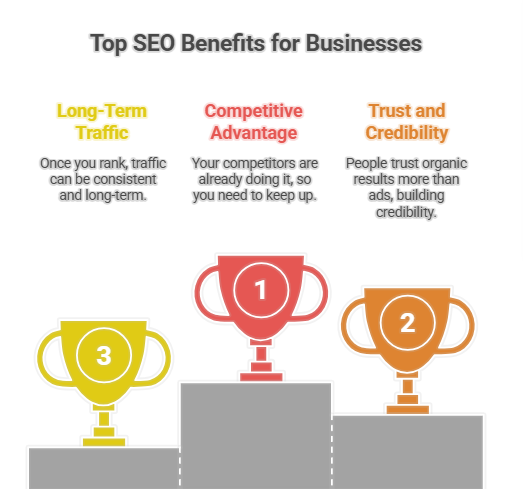
SEO for Beginners: How Businesses Can Rank on Google and Get More Customers If you run a business today, your customers are already searching for you on Google… whether you’re there or not. Search Engine Optimization (SEO) is how you show up when they look. It’s not magic, and it’s not just for tech people. With the right basics, any business can start ranking higher and getting more customers from Google. Let’s walk through SEO in a simple, practical way, focusing on what actually works for beginners. 1. What Is SEO (Really)? SEO (Search Engine Optimization) is the process of improving your website so that: Google can understand what it’s about. Users can easily find the information they need. Your pages appear higher in search results for relevant keywords. In short: SEO helps you get free, ongoing traffic from Google instead of paying for every click through ads. Why SEO Matters for Businesses Your competitors are already doing it. People trust organic (non‑ad) results more. Once you rank, traffic can be consistent and long‑term. It works for almost any type of business: local shops, e‑commerce, coaches, SaaS, agencies, etc. Think of SEO as building a digital “storefront” on the busiest street in the world: Google’s first page. 2. How Google Decides Who Ranks Google wants to show the best possible answer to each search. To do that, it looks at hundreds of factors, but for beginners, you can focus on three big pillars: Relevance – Does your content match what the user is looking for? Quality – Is your content helpful, well‑written, and complete? Authority – Do other websites trust and link to you? If you create content that matches what your ideal customer is searching for, make it genuinely helpful, and build trust around your brand, you’re already doing SEO at a decent level. 3. Step 1: Understand Your Audience and Their Keywords SEO starts before you write anything. You first need to know: Who are your customers? What problems do they have? What are they typing into Google when they look for help? These searches become your keywords. Types of Keywords Informational keywords – People want answers or education. Examples: “how to fix leaking tap” “best running shoes for beginners” “what is SEO for small business” Commercial keywords – People are researching what to buy. Examples: “best dentist in [city]” “project management software comparison” “top digital marketing agencies” Transactional keywords – People are ready to buy or contact. Examples: “book accountant near me” “buy wireless headphones online” “hair salon appointment [city]” You want a mix of these, but transactional and commercial keywords are most directly tied to getting customers. Simple Keyword Research for Beginners You don’t need fancy tools at the start. Here are easy methods: Google autocomplete: Start typing a phrase and see what Google suggests. People Also Ask boxes: These give real questions people are asking. Related searches at the bottom of Google’s results page. Look at competitor websites and see the topics they cover. Write down a list of phrases your customers might search for, such as: “plumber in [your city]” “family lawyer for divorce” “organic coffee beans online” “SEO services for local businesses” These will become the topics of your pages and blog posts. 4. Step 2: Optimize Your Website Pages (On‑Page SEO) Once you know your keywords, the next step is to optimize your actual pages. This is called on‑page SEO. Key On‑Page SEO Elements Page Title (Title Tag) This is the blue, clickable headline you see in Google results. Include your main keyword. Make it clear and compelling for humans, not just search engines. Example: Instead of: “Home | Company Name” Use: “Affordable Plumber in Chicago | 24/7 Emergency Plumbing” Meta Description This is the short description under the title in Google results. It doesn’t directly impact ranking much, but it affects clicks. Use your keyword naturally and a call to action. Example: “Looking for a reliable plumber in Chicago? We offer 24/7 emergency plumbing, fast response, and fair pricing. Call now for a free quote.” Headings (H1, H2, H3) Headings help organize your content. Use one H1 per page (main title on the page). Break your content into sections with H2 and H3. Include keywords where natural, but don’t stuff. URL Structure Keep URLs short, readable, and keyword‑focused. Example: Good: /emergency-plumber-chicago Bad: /page-id-123?ref=home Content Itself Your content should: Answer the user’s main question clearly. Be easy to scan with headings, bullet points, and short paragraphs. Include your keyword and related terms naturally. Provide real value: tips, explanations, examples, visuals. Remember: write for people first, Google second. Internal Links Link from one relevant page on your site to another. Example: a blog post on “how to fix low water pressure” links to your “plumbing services” page. This helps users navigate and helps Google discover and understand your pages. Images and Alt Text Use images to make content engaging. Use descriptive file names and alt text (for accessibility and context). Example alt text: “technician repairing a leaking kitchen sink” 5. Step 3: Optimize for Local Searches (Local SEO) If you have a physical location or serve certain areas (restaurants, salons, plumbers, dentists, local shops), Local SEO is crucial. Google Business Profile Create and optimize your Google Business Profile (formerly Google My Business): Use your exact business name. Add correct address, phone, website, and opening hours. Choose accurate business categories (e.g., “Italian restaurant”, “family lawyer”). Add photos of your location, team, and products. Ask happy customers to leave reviews and reply to those reviews. This profile helps you show up in: The Map Pack (top map results). The right‑hand knowledge panel. Google Maps searches. Local SEO Tips Include your city/region in important pages and headings. Create a “Contact” or “Locations” page with your full address and map. Make sure your Name, Address, and Phone (NAP) are consistent across the web (website, social profiles, directories). Get listed in local directories relevant to your industry (chambers of commerce, industry associations, etc.). Local SEO can be a huge driver of real‑world customers, not just website traffic. 6. Step 4: Create Helpful, Customer‑Focused