
How to Build a WordPress Plugin with Only One Prompt Using AI: A Quick Guide
Introduction: Building WordPress plugins can be a daunting task for many developers, especially when it comes to ensuring they meet WordPress coding standards, best practices, and security protocols. However, with the power of Artificial Intelligence (AI), the process can be streamlined, efficient, and even automated. In this guide, we’ll show you how you can leverage AI tools to create a production-ready WordPress plugin, following the official WordPress coding standards. Why Use AI in Plugin Development? AI technologies, such as natural language processing and code generation tools, can help developers at every stage of plugin development. From generating boilerplate code to detecting errors and optimizing performance, AI is transforming how developers approach WordPress plugin creation. By utilizing AI, developers can save time, reduce human error, and ensure that their plugins are optimized for performance and security. Plus, it can help developers adhere to WordPress’s strict coding standards, ensuring smooth integration and fewer bugs. Step-by-Step Guide to Building Your WordPress Plugin with AI 1. Define Your Plugin Idea Before diving into the technical aspects, it’s essential to define what your plugin will do. The idea behind your plugin will guide its structure, features, and functionality. AI can assist in brainstorming ideas, researching plugin functionality, or providing examples of popular plugins with similar features. Example Plugin Idea: “A custom post type plugin for displaying portfolios with unique layouts.” 2. AI-Powered Code Generation for Your Plugin Once you have the plugin idea, AI tools like GPT-4 can help generate the initial boilerplate code for your plugin. This includes the plugin’s main file, including the plugin header, activation, and deactivation hooks. Here’s your prompt for AI assistance: You are an expert WordPress plugin developer. Create a production-ready WordPress plugin according to official WordPress coding standards and best practices. Plugin Overview: Plugin Name: [ENTER PLUGIN NAME] Description: [YOUR IDEA HERE] Version: 1.0.0 Author: [YOUR NAME] Requirements: 1. Architecture: – Use OOP (Object-Oriented Programming) – Use proper namespace – Modular file structure – No procedural spaghetti code – Separate logic for Admin and Public areas 2. File Structure: – Main plugin file – /includes – /admin – /public – /assets/css – /assets/js – uninstall.php (if needed) 3. WordPress Standards: – Follow WordPress Coding Standards – Use proper hooks (actions & filters) – Use prefix for functions, classes, and options – Prevent direct file access – Use nonces for form security – Sanitize all inputs – Escape all outputs – Translation ready (Text Domain included) – Compatible with WordPress 6.x+ 4. Admin Features: – Create admin menu or settings page (if required) – Use WordPress native UI styling – Proper capability checks (manage_options etc.) – Use Settings API where appropriate 5. Database: – Use WordPress Options API or Post Meta if possible – Create custom table only if absolutely necessary – Proper activation & deactivation hooks – Cleanup on uninstall (if needed) 6. Performance: – Enqueue scripts and styles properly – Load assets only where needed – Avoid unnecessary database queries – Use AJAX securely if required 7. Security: – Validate, sanitize, and escape everything – Use wp_verify_nonce() – Use current_user_can() – Prevent SQL injection – Follow WordPress security best practices 8. Code Output: – Provide complete working code – Clearly separate files – Add comments explaining important parts – Ready to zip and install Now generate the full plugin code based on the above requirements. AI can generate the main plugin file structure, admin logic, public-facing features, and even enqueue scripts/styles. You can customize it as needed. 3. Follow WordPress Coding Standards AI can assist in ensuring your code follows WordPress best practices and coding standards. For example, AI can automatically check your plugin for proper hooks, file structure, and security measures. 4. Admin Features & Settings Page If your plugin requires an admin panel or settings page, AI can generate the necessary code for you. It can also include capability checks to ensure that only authorized users can modify the settings, using WordPress’s native UI styling and Settings API. 5. Database & Custom Tables For plugins that require storing data, AI can help design your database structure. It can suggest whether to use WordPress Options API or Post Meta, and if necessary, help create custom tables for your plugin. 6. Testing, Debugging, and Optimization AI tools can assist in debugging and optimizing your plugin. It can identify performance bottlenecks, unnecessary database queries, or security vulnerabilities such as SQL injection risks. Additionally, it can help ensure that your plugin is fully compatible with the latest version of WordPress. 7. Security Best Practices Security is a top priority when developing WordPress plugins. AI can automatically implement best practices, such as: Validating and sanitizing user inputs Preventing direct file access Using nonces for form security Escaping all outputs 8. Final Code & Documentation AI tools can generate documentation for your plugin, explaining the functionality, usage, and code structure. This is crucial for future updates and for other developers who might use or modify your plugin. Conclusion: Creating a WordPress plugin has never been easier, thanks to the assistance of AI. By following the WordPress coding standards and leveraging AI tools, you can build a robust, secure, and feature-rich plugin in less time. Whether you are an experienced developer or a beginner, AI can speed up the development process and ensure your plugin is production-ready. Start using AI to create your own WordPress plugins today, and unlock a whole new level of development efficiency and quality.
Website Development Best Practices for Better Conversions 2026
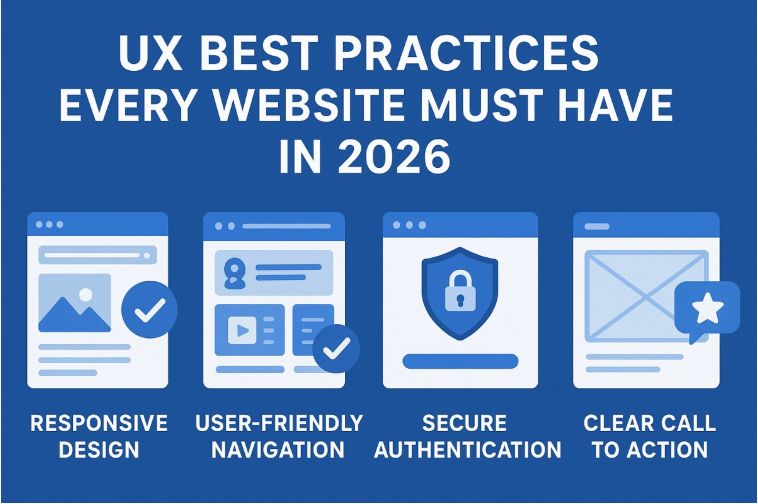
Website Development Best Practices for Better Conversions in 2026 In 2026, having a website is no longer enough. Businesses must focus on creating high‑performing, conversion‑driven websites that deliver exceptional user experiences while meeting modern technical and marketing standards. A website should not only look good but also guide visitors smoothly toward meaningful actions—whether that’s making a purchase, filling out a form, or contacting your business. At Go Link Media, we believe website development should be built around performance, usability, and business growth. This guide explores the best website development practices for better conversions in 2026, helping businesses stay competitive in an evolving digital landscape. 1. User‑First Design Is Non‑Negotiable User experience (UX) remains the foundation of high‑converting websites. In 2026, websites must be designed with real user behavior in mind, not just aesthetics. Key UX principles include: Clear navigation with minimal clicks Logical content hierarchy Easily visible calls‑to‑action (CTAs) Simple layouts that reduce cognitive load A user‑first approach ensures visitors quickly understand what your business offers and how to take action. 2. Mobile‑First Development Is the Standard With mobile traffic dominating global web usage, mobile‑first development is no longer optional. Google continues to prioritize mobile performance when ranking websites. Best practices include: Responsive layouts that adapt to all screen sizes Fast mobile loading times Touch‑friendly buttons and forms Optimized images and fonts Websites developed by Go Link Media focus on seamless performance across mobile, tablet, and desktop to maximize conversions. 3. Website Speed Directly Impacts Conversions In 2026, users expect instant results. Even a one‑second delay can significantly reduce conversion rates. To improve speed: Use optimized images and next‑gen formats Minimize CSS and JavaScript files Implement browser caching Choose reliable hosting Fast websites not only convert better but also perform stronger in search engine rankings. 4. Clear Value Proposition Above the Fold Visitors decide within seconds whether to stay on a website. Your value proposition must be clear immediately. Above‑the‑fold content should answer: What do you offer? Who is it for? Why should users choose you? A strong headline, supportive subtext, and a clear CTA help capture attention and guide users toward conversion. 5. Conversion‑Focused Call‑to‑Action (CTA) Strategy CTAs are critical for guiding user behavior. In 2026, effective CTAs are contextual, visually distinct, and action‑oriented. Examples include: “Get a Free Quote” “Book a Consultation” “Start Your Project Today” Strategically placing CTAs throughout the website—without overwhelming users—significantly increases conversion opportunities. 6. Simplified Forms for Higher Completion Rates Long or complex forms discourage users. Modern websites focus on minimal, user‑friendly forms. Best practices: Ask only for essential information Use smart form validation Break long forms into steps if needed Clearly state what happens after submission Simpler forms lead to higher engagement and better lead generation. 7. Trust Signals Build Confidence and Credibility Trust plays a major role in conversion decisions. In 2026, users are more cautious and expect transparency. Effective trust elements include: Client testimonials and reviews Case studies and success stories Security badges and SSL certificates Clear privacy and data protection policies Websites developed by Go Link Media integrate trust signals naturally to increase credibility and user confidence. 8. SEO‑Friendly Website Architecture A high‑converting website must also be discoverable. SEO‑friendly development ensures your site attracts the right traffic. Key elements include: Clean URL structures Proper heading hierarchy Optimized page titles and meta descriptions Fast crawlability for search engines SEO and website development must work together to drive both traffic and conversions. 9. AI‑Powered Personalization In 2026, personalization is becoming a key differentiator. AI‑driven personalization helps deliver relevant content to different users based on behavior, location, or intent. Examples include: Dynamic CTAs Personalized content recommendations Smart chatbots for instant support Personalized experiences increase engagement and significantly improve conversion rates. 10. Accessibility Is Essential, Not Optional Web accessibility is both a legal and ethical requirement in many regions. Accessible websites also perform better for all users. Best practices include: Readable font sizes and contrast Keyboard navigation support Alt text for images Clear form labels Accessibility improves usability while expanding your potential audience. 11. Integrated Analytics and Conversion Tracking Data‑driven decisions are essential for continuous improvement. In 2026, websites must be built with analytics in mind from day one. Track metrics such as: User behavior and engagement Conversion paths Drop‑off points Page performance At Go Link Media, conversion tracking is integrated into website development to ensure ongoing optimization. 12. Secure and Scalable Website Infrastructure Security is a top concern for users and search engines alike. A secure website builds trust and protects sensitive data. Key security practices: HTTPS encryption Regular updates and patches Secure hosting environments Backup and recovery systems Scalability ensures your website can grow as your business expands. 13. Content That Educates and Converts High‑quality content remains one of the strongest conversion drivers. Content should educate, address pain points, and guide users toward solutions. Effective content includes: Clear service explanations FAQs Blogs and guides Visual content like videos and infographics Content strategy should always align with user intent and business goals. 14. Seamless Integration with Marketing Tools Modern websites must integrate smoothly with marketing tools such as: CRM systems Email marketing platforms Analytics and heat‑mapping tools Automation software These integrations streamline lead management and improve marketing efficiency. 15. Continuous Testing and Optimization A website is never truly “finished.” In 2026, continuous testing is essential for staying competitive. Key optimization practices: A/B testing layouts and CTAs Monitoring user behavior Updating content regularly Improving performance based on insights Ongoing optimization ensures your website continues to convert effectively over time. Why Conversion‑Focused Development Matters in 2026 As competition increases online, businesses can no longer rely on traffic alone. A conversion‑focused website helps: Maximize ROI Reduce marketing costs Improve customer experience Drive sustainable growth By following these best practices, businesses position themselves for long‑term success. Final Thoughts Website development in 2026 is about more than design—it’s about strategy, performance, and conversions. Businesses that invest in user‑centric, fast, secure, and optimized websites will consistently outperform competitors. At Go Link Media, we focus on building websites that don’t just look good—but convert visitors into customers. By applying these best practices,
Professional Web Design Pakistan | Custom Website Development Services

Professional Web Design and Development Services in Pakistan In today’s digital world, a business website is more than just an online presence—it is a powerful marketing tool, a brand ambassador, and often the first point of contact with potential customers. As businesses across industries move online, the demand for professional web design in Pakistan has grown significantly. From startups to established enterprises, companies are investing in high-quality websites that are visually appealing, user-friendly, and optimized for performance. This blog explores why professional web design and development services are essential, what to look for in a service provider, and how Pakistani businesses can benefit from modern web solutions. Why Web Design Matters for Businesses in Pakistan Consumers today judge a brand within seconds of landing on its website. A poorly designed site can drive visitors away, while a professional design builds trust and credibility. A well-designed website helps businesses: Create a strong first impression Improve user experience and engagement Increase conversions and inquiries Strengthen brand identity Support digital marketing efforts In Pakistan’s competitive online market, having a modern, functional website is no longer optional—it’s a necessity. Understanding Modern Web Design and Development Web design and development go beyond colors and layouts. They involve strategy, usability, technology, and performance optimization. Web Design Web design focuses on the visual and user experience aspects of a website, including: Layout and structure Color schemes and typography Navigation and usability Mobile responsiveness Web Development Website development handles the technical side, such as: Coding and functionality Content management systems Performance optimization Security and scalability Successful websites combine both design and development seamlessly. Importance of Responsive Web Design in Pakistan With the majority of internet users in Pakistan accessing websites via smartphones, responsive web design in Pakistan has become essential. Responsive websites: Adapt smoothly to all screen sizes Improve user experience on mobile devices Reduce bounce rates Perform better in search engine rankings Google prioritizes mobile-friendly websites, making responsiveness a key factor for online success. Website Development Solutions for Different Business Needs Every business has unique goals, and professional developers offer customized solutions to match those needs. Business and Corporate Websites Corporate websites focus on credibility, clear messaging, and lead generation. They typically include: Company profiles Services pages Contact forms Blog or news sections E-Commerce Website Development in Pakistan Online shopping is rapidly growing, increasing the demand for e-commerce websites in Pakistan. Key features of successful e-commerce sites include: User-friendly product navigation Secure payment gateways Mobile optimization Fast loading speed Easy checkout process A professionally built e-commerce website can significantly boost online sales and customer trust. WordPress Development: A Popular Choice WordPress is one of the most widely used platforms globally, and WordPress development in Pakistan is especially popular due to its flexibility and affordability. Benefits of WordPress websites include: Easy content management SEO-friendly structure Thousands of themes and plugins Scalability for growing businesses Whether it’s a blog, corporate website, or online store, WordPress offers a reliable and customizable solution. Custom Website Development for Advanced Requirements Some businesses require more than standard templates. Custom website development is ideal for: Complex functionalities Unique user experiences Web applications Enterprise-level solutions Custom development ensures full control over design, performance, and scalability. SEO-Friendly Web Design for Better Visibility A visually appealing website is ineffective if it cannot be found online. Professional web design integrates SEO best practices from the start. SEO-focused websites include: Clean and optimized code Fast loading times Mobile responsiveness Proper heading structure Optimized images and content This approach improves search visibility and supports long-term digital marketing success. Role of a Web Development Company in Pakistan Choosing the right web development company in Pakistan is crucial for project success. What to Look For When selecting a service provider, consider: Proven portfolio and experience Understanding of your industry Transparent pricing and timelines Ongoing support and maintenance Knowledge of modern technologies A reliable company acts as a long-term partner, not just a service provider. Benefits of Hiring Professional Web Designers and Developers Working with experienced professionals offers several advantages: Strategic planning and consultation High-quality, customized designs Secure and scalable development Time and cost efficiency Technical support and updates Professional services ensure your website delivers real business value rather than just an online presence. Website Maintenance and Ongoing Support Launching a website is only the beginning. Regular maintenance is essential to keep it secure and up to date. Maintenance services typically include: Security updates Performance optimization Content updates Bug fixes Ongoing support ensures your website continues to perform well as your business grows. Future Trends in Web Design and Development in Pakistan The web industry is constantly evolving. Businesses should stay aware of emerging trends such as: Minimalist and user-focused design AI-powered features and chatbots Progressive web apps Enhanced website speed and performance Greater focus on accessibility Adapting to these trends helps businesses stay competitive in the digital space. Final Thoughts Investing in web design in Pakistan is an investment in your brand’s future. A professionally designed and developed website helps businesses build trust, attract customers, and achieve long-term growth. Whether you need a corporate website, an e-commerce platform, or a custom solution, choosing the right design and development partner is key. With responsive layouts, modern technologies, and user-focused design, businesses in Pakistan can create websites that truly stand out in today’s digital landscape.
Google Ads Campaign Management: Tips for Success
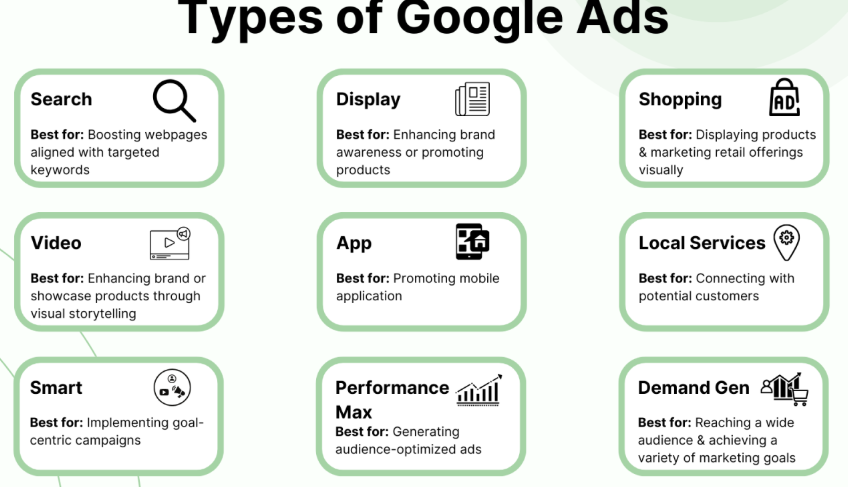
Introduction Google Ads remains one of the most powerful tools for businesses looking to expand their reach, attract qualified leads, and generate consistent online sales. Its precision, scalability, and ability to target users at the exact moment of intent make it an essential platform for marketers. However, true success doesn’t come from setting up ads and hoping for the best—it comes from proper Campaign Management, strategic thinking, and continuous optimization. This guide explores actionable strategies, Tips for Success, and practical insights to help you manage campaigns more effectively and achieve meaningful growth. Understanding the Foundation of Google Ads Campaign Management Managing Google Ads involves much more than selecting keywords and writing ad copy. It requires a deep understanding of your audience, their search behavior, and how your products or services align with their needs. Effective Campaign Management also involves carefully structuring your campaigns, organizing ad groups, and selecting relevant keywords to improve performance and reduce wasted spending. Beginners often underestimate the importance of structure. A well-planned account setup ensures clarity, control, and better data insights. For instance, organizing campaigns by product categories, service types, or locations allows you to track performance more accurately and adjust strategies efficiently. Additionally, choosing the right bidding strategy—such as manual CPC, Maximize Conversions, or Target ROAS—can significantly influence how your ads perform. Each strategy has its advantages, and your choice should reflect your business goals and available data. Conducting Smart Keyword Research and Selection Keywords are the backbone of any Google Ads campaign. They determine when your ads appear and who sees them. To choose the right keywords, you must balance search volume, competition, and intent. Key Factors in Selecting Keywords: Relevance: Ensure the keyword directly relates to your offering. User Intent: Focus on terms buyers would search when ready to take action. Competition Level: High-competition keywords may require higher budgets. Match Types: Use a mix of phrase, exact, and broad match for flexibility. Successful keyword research also includes adding negative keywords to filter irrelevant traffic. By excluding irrelevant queries, you protect your budget, improve click-through rates, and strengthen campaign efficiency. This is an area where many marketers look for additional support through tools, strategies, or even Secondary Keyword 2, especially when refining long-tail keywords and search intent alignment. Crafting High-Converting Ad Copy Your ad copy is the first impression users have of your business. It must be compelling, clear, and aligned with the user’s search intent. Elements of Strong Ad Copy: A powerful headline that captures attention Clear value propositions Strong calls-to-action (CTA) Meaningful benefits rather than generic claims Relevance to the searched keyword Highlight what sets your business apart—free shipping, discounts, expertise, or fast turnaround. Since Google rewards relevancy, aligning your ads with specific keywords and ad groups increases your quality score, reduces cost-per-click, and improves ad placement. Extensions such as site links, callouts, structured snippets, and phone extensions also help enhance visibility and boost engagement. These enhancements offer additional information without increasing cost, making them essential components of effective Campaign Management. Optimizing Landing Pages for Better Performance Your ads might attract the right audience, but your landing page determines whether they convert. A well-optimized landing page must provide a seamless and persuasive user experience. Landing Page Optimization Tips: Ensure your headline matches the ad’s promise Use clean, responsive design Keep forms simple and easy to complete Include social proof like reviews or testimonials Focus on fast loading speeds to reduce bounce rates When your landing page and ad content align, users feel like they are in the right place. This alignment improves conversion rates and strengthens your overall account performance. There’s a reason seasoned marketers emphasize this combination—successful advertising is a blend of strong ads and high-quality landing pages, paired with ongoing improvements supported by data and Tips for Success. Analyzing and Monitoring Campaign Performance Effective Campaign Management involves continually analyzing your metrics and making data-driven adjustments. Google Ads offers a wealth of performance insights such as CTR, conversion rate, cost-per-click, impression share, and return on ad spend. Important Things to Monitor: Search terms reports to identify new keyword opportunities Device performance to determine where your ads perform best Demographics to better target your ideal audience Budget pacing to prevent overspending Conversion tracking accuracy to ensure data reliability Use this information to adjust bids, improve ad copy, refine keywords, and reallocate budget to high-performing segments. Reviewing this data regularly—not just once a month—is crucial for achieving long-term success. Continuous improvement supported by your analysis and Secondary Keyword 4 will help you maintain momentum and stay ahead of competitors. Leveraging Automation for Better Results Google offers several automation tools that simplify campaign optimization. Smart Bidding, responsive search ads, and automated rules are valuable features for both beginners and experienced marketers. Benefits of Automation: Saves time and reduces manual work Adjusts bids based on real-time signals Enhances ad performance through machine learning Helps scale campaigns more efficiently However, automation is most effective when paired with human oversight. Monitor automated adjustments, evaluate their outcomes, and make necessary refinements to stay aligned with your business goals. Using A/B Testing to Improve Performance A/B testing is a powerful technique that helps you make informed decisions. By testing two or more versions of your ad copy, landing pages, or bidding strategies, you can identify what resonates most with your audience. What You Can A/B Test: Headlines and descriptions Call-to-action phrases Landing page layouts Keyword match type combinations Extensions and visual elements This testing approach allows marketers to eliminate guesswork and rely solely on real performance data. When done consistently, A/B testing becomes one of the most valuable Tips for Success in campaign optimization. Conclusion Mastering Google Ads requires a balance of strategy, creativity, and ongoing analysis. With strong Campaign Management, thoughtful keyword research, compelling ad copy, and well-optimized landing pages, advertisers can significantly improve performance and ROI. Apply the insights, tools, and Tips for Success shared in this guide, and you’ll be well equipped to create campaigns that not only attract attention but also deliver measurable growth.
Shopify Tips for Beginners: A Simple Guide to E-commerce Success
E-commerce has rapidly become one of the most accessible ways for entrepreneurs to start and grow their own businesses. Whether you’re selling handcrafted goods, digital products, or drop-shipped items, Shopify remains one of the most beginner-friendly platforms available. With the right foundation and the proper guidance, even new store owners can build a polished, profitable online presence. This guide explores practical steps, proven strategies, and essential Secondary Shopify Tips to help you get started with confidence. Understanding Why Shopify Is the Best Place to Start Shopify’s appeal lies in its simplicity and scalability. Beginners appreciate how easy it is to set up a store without coding, while more advanced sellers enjoy the platform’s automation tools, integrations, and analytics. Unlike other platforms that require extensive customization or technical expertise, Shopify provides a structured system that keeps everything organized—from product listings to payments. If you’re just starting, understanding how Shopify works will help you manage your store more effectively. This is where proper tips for Shopify can make a significant difference. By learning how to navigate the dashboard, adjust basic settings, choose themes, and integrate apps, you build a solid foundation for long-term success. Choosing the Right Theme and Branding Your Store Your store’s appearance is the first impression customers get, and Shopify offers both free and premium themes to choose from. Instead of selecting the most visually complex template, beginners should choose a clean, simple theme that highlights products and enhances user experience. Key Tips for Choosing a Theme: Select a layout that aligns with your brand identity Ensure the design is mobile-responsive Test the navigation and loading speed Customize colors, fonts, and visuals to match your niche Even without graphic design experience, Shopify’s built-in editor makes branding your store approachable. Use high-quality images, a consistent color palette, and a memorable logo. By applying these early steps, you create a visually cohesive store that builds trust with visitors. Setting Up Product Pages that Convert A Shopify store is only as strong as its product pages. New sellers often overlook this step, but detailed, thoughtful product listings directly impact conversions. Important Product Page Elements: Clear and compelling product titles High-resolution photos and lifestyle images Benefits-focused descriptions Size guides, FAQs, or usage instructions A strong call-to-action button (“Add to Cart” or “Buy Now”) Product descriptions shouldn’t just list features—they should help shoppers understand how the product solves a problem or enhances their life. Search engines also value detailed content, meaning these descriptions contribute to your long-term SEO success. Many beginners also add apps that enhance product pages, such as review widgets, personalized recommendations, and trust badges. These tools reinforce credibility and help move shoppers toward purchase. Optimizing Shopify for SEO and Organic Growth Search engine optimization remains a crucial part of running an online store. While Shopify handles many technical elements behind the scenes, you still need to optimize pages manually. Here are practical SEO steps every beginner should take: Include keywords naturally in product titles and descriptions Write unique meta titles and meta descriptions for each page Add alt text to product images Create a logical site structure with clear navigation Publish educational blog posts related to your niche Use Shopify’s built-in analytics to track traffic sources SEO takes time to show results, but consistent optimization builds a strong foundation for long-term organic growth. It’s one of the best ways to attract customers without relying heavily on paid advertising. Marketing Your Store: Simple Strategies for Beginners Once your store is live, it’s time to promote it. Many new sellers assume success comes overnight, but effective marketing requires consistency and strategy. Beginner-Friendly Marketing Techniques: 1. Email Marketing Start by offering incentives—discounts or freebies—to encourage visitors to join your mailing list. Platforms like Shopify Email or Klaviyo can help automate welcome sequences, abandoned-cart reminders, and promotional campaigns. 2. Social Media Choose one or two platforms where your audience is most active. Create consistent posts showcasing your products, behind-the-scenes content, or customer testimonials. 3. Paid Advertising While optional, small ad campaigns on Facebook, Instagram, or Google can help you gain traction quickly. Just start with a modest budget and refine ads as you learn what works. 4. Influencer Collaborations Micro-influencers often provide great results for beginners. They are more affordable, highly engaged, and better suited for niche audiences. By combining these marketing methods, you gradually build visibility, trust, and customer loyalty. Essential Shopify Tips That Save Time and Boost Results As your store grows, automation and optimization become essential. Here are some Secondary Shopify Tips to streamline your workflow: Use inventory-tracking tools to avoid overselling Automate order confirmations and shipping updates Set up customer support tools like chatbots or helpdesk apps Perform routine store audits to remove outdated products or apps Monitor analytics to understand customer behavior Keep your checkout process simple and distraction-free Growing Your Store and Staying Consistent The most successful Shopify merchants didn’t achieve results overnight. Growth comes through patience, data-driven decisions, and a willingness to learn. As you improve product listings, refine marketing strategies, and leverage new tools, your store becomes more efficient and competitive. Shopify’s blog, community forums, and resource library are valuable places to continue learning. Engaging with other store owners can provide motivation, insights, and helpful shortcuts as you evolve from a beginner into a confident entrepreneur. Conclusion Getting started with E-commerce can feel overwhelming, but Shopify makes the journey far more approachable, even for complete beginners. With the right mindset, smart planning, and consistent application of the tips shared here—including foundational setup advice, SEO strategies, and essential tips for Shopify—you’ll be well on your way to building a successful online business. Keep learning, keep refining, and keep taking action. This steady approach will help you thrive in the world of E-commerce.
Step-by-Step Guide to Building Your First WordPress Site
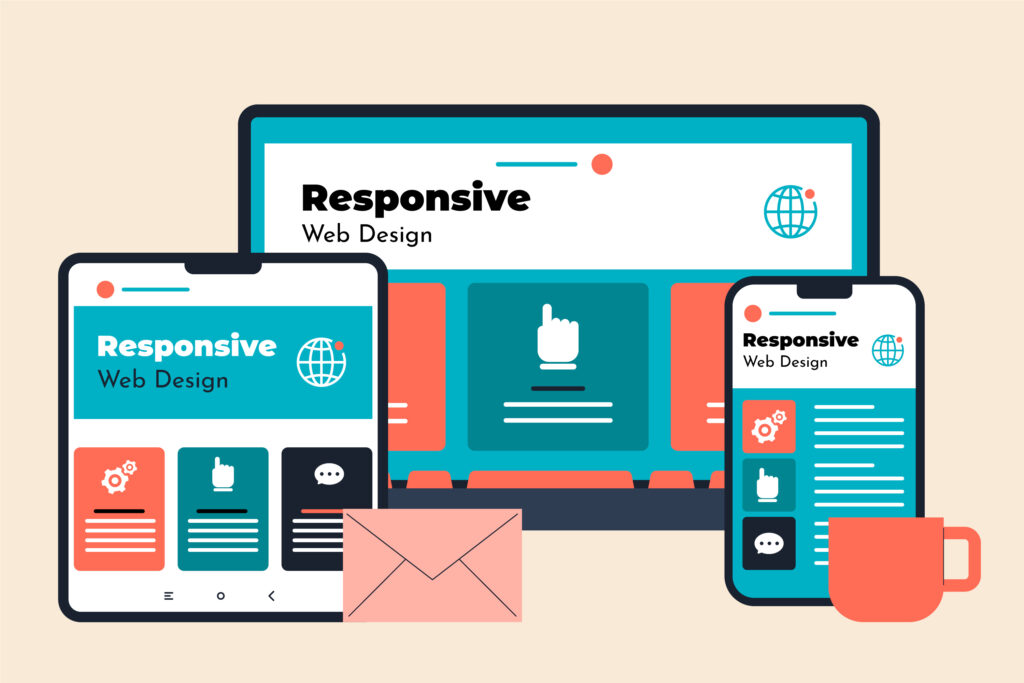
A Step-by-Step Guide to Building Your First Website on WordPress WordPress is one of the world’s most popular website platforms, and for good reason. It offers unmatched flexibility, user-friendly tools, and endless customization options, making it ideal for beginners and professionals alike. If you’re ready to take your ideas online but aren’t sure where to begin, this guide will walk you through the process of building your first website, all while ensuring your content is well-structured, keyword optimised, and ready to perform. 1. Start with a Strong Foundation: Domain and Hosting The journey begins with two essential elements: your domain name and hosting plan. Your domain is the web address where visitors will find you, so it should reflect your brand and be easy to remember. Once you secure your domain, choose a hosting provider that offers reliability, fast loading speeds, and beginner-friendly setup tools. Most hosting companies provide one-click installation for WordPress, making the initial setup incredibly simple. A strong foundation ensures your website will run smoothly as you continue building and expanding it. 2. Install WordPress and Access Your Dashboard After setting up your hosting, use your hosting provider’s one-click tool to install the WordPress software. Once installed, you can access your dashboard by visiting: yourdomain.com/wp-admin This dashboard acts as the control center of your entire site. Here, you can create pages, publish blog posts, manage plugins, change your site design, and fine-tune your WordPress SEO settings. The interface is intuitive, even for beginners, and you’ll quickly become comfortable navigating its features. 3. Choose a Clean, Professional Theme Your theme sets the visual style and layout of your website. With thousands of free and premium themes available, you can find one that perfectly matches your industry, personality, or project goals. When selecting a theme, keep these tips in mind: Choose a mobile-responsive design Look for fast-loading templates Avoid overly complicated or heavy themes Read reviews and check update frequency Ensure compatibility with major plugins A clean and professional theme makes your website easy to use and visually appealing, which contributes to a strong first impression and supports SEO importance. 4. Customize Your Website to Match Your Brand Once your theme is installed, it’s time to start personalizing your website. Navigate to Appearance → Customize to adjust colors, fonts, header styles, and overall layout. Upload your logo, update your site’s title and tagline, and set your preferred homepage design. This step allows your site to reflect your brand’s personality. Whether you aim for a minimalist feel or a bold, modern aesthetic, customizing your site will help your audience connect with your message instantly. 5. Add Essential Pages to Build Structure Every well-designed website includes fundamental pages that help visitors understand your purpose. Some of the most important pages include: Home – A welcoming overview of what your website offers About – A deeper look at your story or mission Services / Portfolio – Showcases what you offer Blog – A place to share insights and improve SEO Contact – Allows users to reach out easily Creating these pages early gives your site a strong structure and makes navigation smoother for your audience. 6. Install Plugins to Expand Functionality Plugins enhance your website by adding features such as contact forms, galleries, caching tools, or SEO systems. Although thousands of plugins exist, it’s best to start with a few essential ones: ✔️ Yoast SEO or Rank Math These tools help you create keyword optimised content and manage your WordPress SEO strategy. ✔️ Elementor or Gutenberg Blocks User-friendly design tools for building custom page layouts without coding. ✔️ UpdraftPlus A backup plugin that protects your site from loss or errors. ✔️ Wordfence or Sucuri Security plugins that safeguard your site from threats. Install plugins selectively and remove anything unnecessary to keep your website fast and efficient. 7. Create Keyword Optimised Content Content is the heart of your website, and producing high-quality, keyword optimised content is essential for long-term success. When writing your pages or blog posts: Use clear headings and subheadings Write in short, readable paragraphs Include your key terms naturally Prioritize helpful, valuable information Add internal links to relevant pages Use alt text for images Maintain a conversational tone Google rewards websites that provide real value, and your content strategy plays a major role in strengthening your SEO importance. 8. Focus on WordPress SEO Basics In the middle of your website-building journey, you’ll come across the importance of optimizing your site for search engines. Good SEO makes it easier for people to find your website through search results. Key elements of SEO include: Fast-loading pages Clean site structure Optimized titles and meta descriptions Mobile responsiveness Quality backlinks Consistent blog publishing Correct use of keywords Using plugins like Yoast or Rank Math simplifies this process and helps you understand where improvements can be made. Learning the essentials early ensures you build a website that grows steadily over time. 9. Test Your Website Before Launching Before you share your website with the world, take time to test it thoroughly. Look for: Spelling or grammar mistakes Broken links Page loading issues Design inconsistencies Mobile responsiveness Functioning forms and buttons A smooth, error-free website increases trust and enhances user experience, which positively influences search performance and supports overall SEO importance. 10. Publish and Maintain Your Website Once everything looks polished, click Publish — your website is officially live! But launching is only the beginning. Maintaining your website ensures it remains secure, updated, and competitive. Regular maintenance includes: Updating plugins and themes Publishing new content Backing up files Monitoring analytics Improving SEO performance Refreshing outdated pages A well-maintained website continues to grow its authority and visibility over time. Final Thoughts Creating your first website using WordPress is an exciting step toward building your online presence. With its flexibility, powerful tools, and beginner-friendly features, you can easily transform your ideas into a polished, professional platform. By following this step-by-step guide, focusing on keyword optimised content, and understanding SEO importance, you set the foundation for sustainable growth
high converting website: 5 Essential Tips for Developing a High-Converting Website

5 Essential Tips for Developing a High-Converting Website Creating a high converting website is no longer just a competitive advantage—it’s a necessity for businesses that want to thrive online. A great website doesn’t just look attractive; it guides users smoothly, communicates value instantly, and motivates visitors to take meaningful action. Whether your goal is to collect leads, sell products, or build a loyal audience, your website must be strategically designed to convert. In today’s digital landscape, visitors decide within seconds whether they’ll stay on a site or leave. This means your structure, branding, messaging, and technical experience must work together seamlessly. Below are five essential tips backed by proven website optimization practices to help you design a website that doesn’t just attract traffic—but converts it. 1. Prioritize User Experience Design (UX) The foundation of a high-performing website is exceptional user experience design. UX determines how easy, intuitive, and enjoyable your site feels for visitors. When users understand your message quickly and navigate with ease, conversion rates naturally rise. Key UX principles to follow: Simplify navigation. Menus should be clear, minimal, and intuitive. Use visual hierarchy. Guide the visitor’s attention to key CTAs (calls to action). Ensure responsive design. With mobile users increasing daily, your website must adapt perfectly on all devices. Keep content scannable. Use short paragraphs, headings, and bullet points. A seamless UX builds trust and helps people find what they need without frustration. When users enjoy the experience, they are far more likely to take action—whether that’s making a purchase or signing up for a newsletter. 2. Focus on Powerful Landing Page Strategy A strong landing page strategy is essential for converting visitors into customers. Landing pages are purposeful, targeted pages that focus on a single action—unlike your homepage, which often covers many topics. A great landing page includes: A compelling headline that communicates value immediately Benefit-focused messaging rather than feature-heavy explanations A strong, contrasting CTA button Trust elements like testimonials, ratings, or case studies Minimal distractions to keep users focused on the goal When your landing pages are optimized for clarity and persuasion, they become conversion machines. Many businesses rely on landing pages for digital ads, emails, and social media campaigns because they improve conversion rates significantly. 3. Improve Website Speed and Technical Performance One of the biggest barriers to conversion is slow performance. People expect fast-loading websites—and search engines reward them. If your pages take more than a few seconds to load, visitors often leave. Improve your website speed by: Compressing large images Minimizing scripts and plugins Using a high-quality hosting provider Enabling caching Implementing a Content Delivery Network (CDN) These website optimization techniques ensure that users experience smooth browsing without delays or errors. Faster websites lead to lower bounce rates, better engagement, and stronger conversions. 4. Craft Compelling Content That Drives Action Content shapes your brand voice, builds trust, and influences decisions. Every piece of content on your site—from headlines to product descriptions—should be designed to motivate users. High-converting content should: Speak directly to customer pain points Highlight benefits and outcomes Use emotional triggers like urgency or social proof Maintain a consistent tone Offer clear next steps Great content is not just informative; it’s persuasive and aligned with user intent. This is key to conversion rate improvement, especially on product pages, landing pages, and service descriptions. Midpoint Mention of the Primary Keyword A truly high converting website blends strategy, psychology, and design. It’s not just about colors and images—it’s about understanding your audience and building a guided experience. Every element must work in harmony: UX design, copywriting, performance, and landing page structure. When done right, these components turn casual visitors into engaged leads and paying customers. 5. Implement Smart Conversion Rate Improvement Tactics Once your website is live, your job isn’t done. High-converting sites evolve through consistent testing and refinement. Important optimization tactics include: A/B testing CTAs, page layouts, colors, and headlines Heatmap analysis to see where users click or lose interest Analyzing funnel performance to detect drop-off points Improving forms by reducing fields and enhancing clarity Boosting trust signals like security badges and social proof These methods help refine your website’s experience and boost key metrics over time. Even small changes—such as adjusting a headline or improving white space—can dramatically increase conversions. Bonus Tip: Create a Clear Brand Identity While often overlooked, consistent branding creates familiarity and trust. Your colors, typography, messaging, and visuals should all support your brand personality. Strong branding helps your website feel professional and trustworthy, which strengthens conversion potential. Bringing It All Together A high-converting website is the result of thoughtful design, smart content strategy, and continuous optimization. It’s not something built once—it’s refined over time to meet user needs and market trends. With the right blend of UX, technical performance, persuasive content, and strategic landing pages, your website becomes a powerful asset that works day and night to grow your business. Whether you’re launching a new site or redesigning an existing one, these five tips will help you create a digital experience that inspires action and builds long-term customer relationships. As digital competition grows, brands that prioritize conversion-focused design and strategic optimization will stand out from the rest. By following these principles, you can develop a website that doesn’t just attract visitors—but converts them at every opportunity, ultimately leading to the success of your high converting website.
Responsive Design: Why It’s Crucial for Modern Websites
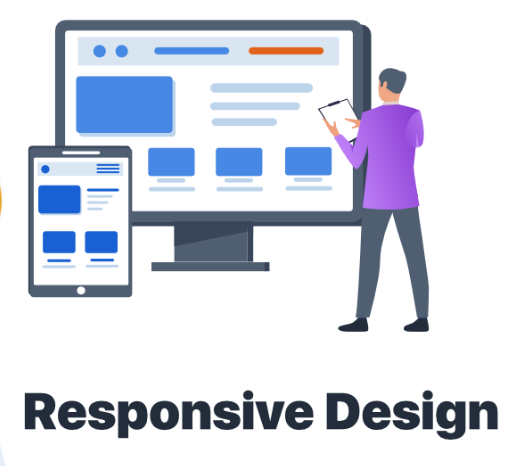
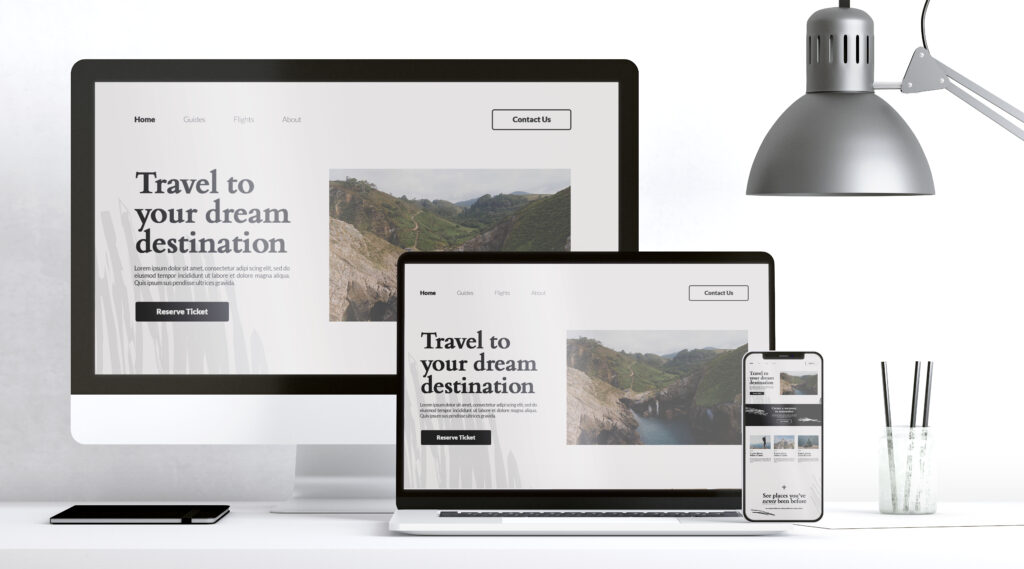
Responsive Design: Why It’s Crucial for Modern Websites Modren keywords play a surprisingly important role in shaping how we think about web strategy today. But beyond search terms and optimization trends, one foundational element remains essential for digital success: responsive web design. As users browse across a growing variety of devices—smartphones, tablets, laptops, and even smart TVs—ensuring a seamless and consistent experience is no longer optional. It is a requirement for any business hoping to compete online. In this article, we’ll explore why responsive design has become a non-negotiable part of modern website development and how elements like [Secondary Keyword 1], [Secondary Keyword 2], [Secondary Keyword 3], and [Secondary Keyword 4] naturally fit into the evolving digital landscape. Understanding Responsive Design Responsive design refers to the practice of building websites that automatically adapt to different screen sizes and orientations. Instead of creating separate websites for desktop and mobile users, designers use flexible grids, scalable images, and CSS media queries to ensure the layout adjusts fluidly. This approach allows a single website to deliver an excellent user experience regardless of device type. Whether a visitor accesses your site from a large desktop monitor or a compact mobile display, the layout remains readable, intuitive, and aesthetically consistent. Incorporating technologies such as [Secondary Keyword 1] into the design process strengthens adaptability even further, helping websites maintain performance while meeting modern usability standards. Why Responsive Design Matters More Than Ever 1. Mobile Traffic Dominance Over half of global web traffic now comes from mobile devices. Users expect fast-loading pages, easy navigation, and clear visuals—no matter how small their screens are. A website that fails to deliver these essentials drives visitors away instantly. Responsive design eliminates the need for zooming, horizontal scrolling, or tapping tiny links. It ensures your content remains accessible and visually appealing, creating a smoother user journey from the moment visitors land on your site. 2. SEO Benefits and Search Ranking Boost Responsive websites perform better in search engines. Google’s mobile-first indexing means the mobile version of your site is the primary source used to determine search rankings. When your website is responsive, it meets Google’s criteria for: mobile usability fast loading speeds clean structure proper indexing Integrating elements like [Secondary Keyword 2] throughout your SEO strategy can further strengthen your ranking potential. With both performance and structure optimized, your site becomes easier for search engines to understand—and easier for users to enjoy. 3. Improved User Experience and Engagement User experience (UX) determines whether a visitor stays on your website, interacts with your content, and converts into a customer. Responsive design enhances UX by providing consistency and clarity. A responsive layout ensures: readable text without zooming flexible images that adapt to screens simplified navigation menus adequate spacing and visual balance Better UX often leads to lower bounce rates and higher engagement. When users find what they need quickly and effortlessly, they are more likely to explore further. The Role of Performance in Responsive Design Performance is a vital factor in responsive design. Even the most visually appealing website cannot thrive if it loads slowly. Today’s users expect instant responses, and even small delays lead to abandonment. Optimizing performance involves: compressing images reducing code bloat implementing browser caching using content delivery networks Incorporating advanced tools such as [Secondary Keyword 3] can further improve speed and stability. With better performance, your website becomes more reliable and competitive. Consistent Branding Across Devices Brand identity extends beyond logos, fonts, and colors. The way users interact with your website influences how they perceive your business. Responsive design ensures your brand remains visually consistent across all platforms. This consistency helps: reinforce trust strengthen brand recall create a cohesive identity build long-lasting customer relationships A unified design increases credibility, showing users that your business values quality and professionalism. Cost-Effectiveness and Easier Maintenance Before responsive design became the standard, companies often built separate desktop and mobile websites. Maintaining multiple versions was time-consuming, expensive, and inefficient. Responsive design eliminates duplicate content and reduces maintenance tasks. A single, adaptable site means: one design framework one set of updates one content strategy fewer technical issues With tools like [Secondary Keyword 4], teams can streamline their workflows further, ensuring consistency and avoiding unnecessary development complexities. How Responsive Design Strengthens Conversions Conversion rates improve when websites remove friction from the user journey. Responsive design makes every step simpler, from browsing products to submitting forms. By reducing obstacles, you encourage visitors to take meaningful actions such as: signing up for newsletters making purchases filling out contact forms downloading resources A smooth, device-friendly experience builds confidence and supports your marketing and sales goals. Future-Proofing Your Website Technology continues to evolve rapidly. New devices with unique screen resolutions appear regularly, from foldable phones to ultra-wide monitors. Responsive design prepares your website for these changes by ensuring flexibility at its core. Instead of redesigning your site for each emerging device, responsive frameworks adjust automatically, saving time and resources while maintaining an exceptional user experience. Final Thoughts Responsive design is no longer a trend—it is a fundamental requirement for modern web success. From improved SEO and enhanced user experience to stronger branding and future-proof adaptability, its benefits are undeniable. As the digital world becomes more complex and diverse, businesses must prioritize responsive design to stay competitive. By integrating tools and strategies like [Secondary Keyword 1], [Secondary Keyword 2], [Secondary Keyword 3], and [Secondary Keyword 4], you can build a website that is not only user-friendly but also strategically positioned for growth. In a landscape driven by evolving technologies, modren keywords and responsive design together shape the foundation of a powerful online presence.