New Website SEO Checklist: How to Get Indexed & Ranked

SEO Checklist for New Websites (Step-by-Step Guide) Launching a new website is exciting, but without proper search engine optimization, even the most beautiful site can remain invisible. SEO is not a one-time task; it’s a structured process that begins before your website goes live and continues long after. If you follow the right steps from day one, you give your site a strong foundation for long-term organic growth. This step-by-step SEO checklist is designed specifically for new websites, helping you build visibility, attract the right audience, and improve search performance without relying on shortcuts or outdated tactics. 1. Set Clear Goals Before You Start Before touching technical settings or writing content, define what success looks like for your website. Ask yourself: Is the goal to generate leads, sales, or inquiries? Are you targeting local customers, national traffic, or a global audience? What actions should visitors take on your site? Clear goals help shape your content strategy, page structure, and tracking setup. SEO works best when it supports business objectives, not when it operates in isolation. 2. Choose the Right Domain and Hosting Your domain name and hosting provider play a subtle but important role in SEO. Best practices: Choose a domain that is easy to remember and brand-friendly. Avoid excessive hyphens or confusing spellings. Select a reliable hosting provider with good uptime and fast servers. Enable HTTPS by installing an SSL certificate. A secure, stable, and fast website builds trust with both users and search engines. 3. Perform Smart Keyword Research (Without Overdoing It) Keyword research is about understanding search intent, not just finding popular terms. Instead of focusing only on high-volume phrases: Look for long-tail search queries related to your niche. Analyze what your competitors are ranking for. Identify questions your audience is actively asking. Group related terms by topic rather than treating them separately. This approach helps you create pages that feel natural and informative rather than forced or repetitive. 4. Plan Your Website Structure Strategically A well-organized website improves crawlability and user experience. SEO-friendly structure tips: Keep your navigation simple and logical. Limit important pages to three clicks from the homepage. Use clear category and subcategory paths. Create separate pages for distinct services or topics. A clean structure helps search engines understand content relationships and makes it easier for users to find what they need. 5. Optimize Core Pages First For new websites, focus on optimizing essential pages before publishing large volumes of content. Key pages to optimize: Homepage About page Services or product pages Contact page Blog main page Each page should have: A clear purpose Unique page titles and descriptions Relevant internal links Clear calls to action Avoid duplicating content across multiple pages, as this weakens ranking potential. 6. Write High-Quality, Original Content Content is the backbone of organic visibility. For new websites, quality matters far more than quantity. Content best practices: Write for people first, search engines second. Cover topics thoroughly but naturally. Use clear headings and short paragraphs. Answer real user questions. Avoid automated or copied text. Search engines reward pages that provide value, clarity, and depth rather than pages filled with repetitive phrases. 7. Optimize Titles, Headings, and Meta Data On-page elements help search engines understand what each page is about. Focus on: Writing compelling page titles that reflect real user intent. Using descriptive meta descriptions to improve click-through rates. Structuring content with proper heading hierarchy (H1, H2, H3). Keeping headings natural and informative. Think of meta data as your website’s first impression in search results. 8. Improve Website Speed and Performance Slow websites lose users and rankings. To enhance performance: Compress images without sacrificing quality. Use modern image formats where possible. Enable browser caching. Minimize unnecessary scripts and plugins. Choose lightweight themes and frameworks. A faster website improves engagement, reduces bounce rates, and sends positive signals to search engines. 9. Ensure Mobile-Friendly Design Most users now browse on mobile devices, making mobile usability a ranking factor. Checklist for mobile optimization: Responsive layout that adapts to all screen sizes. Readable font sizes without zooming. Buttons spaced for easy tapping. No intrusive pop-ups that block content. A smooth mobile experience improves both visibility and conversions. 10. Set Up Essential SEO Tools Tracking performance from the beginning helps you make data-driven decisions. Recommended tools: Google Search Console for indexing and search insights. Google Analytics to track traffic and user behavior. Bing Webmaster Tools for additional visibility. A keyword tracking or site audit tool. These tools allow you to monitor growth, identify issues, and refine your strategy over time. 11. Create and Submit an XML Sitemap An XML sitemap helps search engines discover and crawl your pages more efficiently. Steps to follow: Generate a sitemap using your CMS or SEO plugin. Include only important, indexable pages. Submit it to search engine webmaster tools. Update the sitemap when new pages are added. This ensures your content gets indexed faster, especially on new websites. 12. Optimize URLs for Clarity Clean URLs improve both usability and indexing. Best practices: Keep URLs short and readable. Use words instead of numbers or symbols. Avoid unnecessary parameters. Maintain consistency across the site. Clear URLs help users understand page content before clicking. 13. Build a Strong Internal Linking System Internal links guide users and search engines through your website. Effective internal linking: Connect related pages naturally. Use descriptive anchor text. Highlight important pages more frequently. Avoid excessive linking on a single page. A thoughtful internal linking strategy distributes authority and improves page discoverability. 14. Focus on Local Optimization (If Applicable) If your business serves a specific area, local SEO should be part of your checklist. Key actions: Create and optimize a Google Business Profile. Use consistent business information across platforms. Add location-specific content where relevant. Encourage genuine customer reviews. Local visibility can drive highly targeted traffic and leads. 15. Secure Your Website Properly Website security affects trust and performance. Security essentials: Keep software, themes, and plugins updated. Use strong passwords and access controls. Install security monitoring tools. Regularly back up your
Why Social Media Marketing is Non-Negotiable in 2025
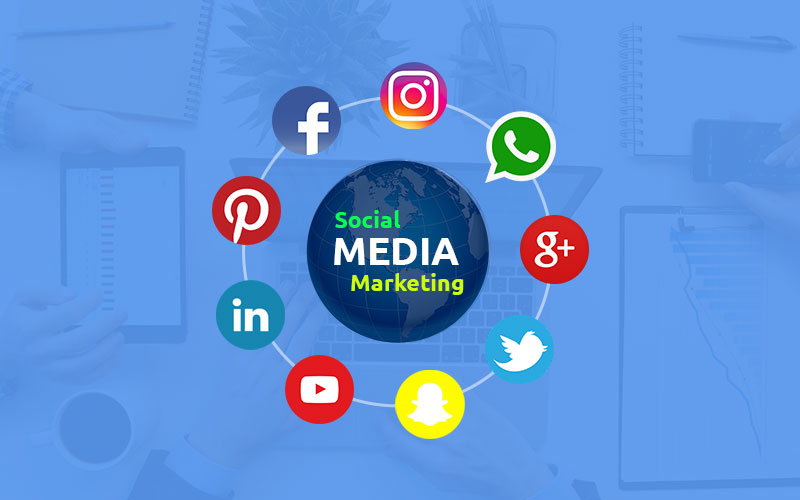
Why Social Media Marketing is Non-Negotiable in 2025 The digital landscape has evolved dramatically, and social media is no longer just a “nice-to-have” for businesses—it’s become an absolute necessity. With over 4.9 billion people using social media worldwide (that’s 60% of the global population!), your potential customers are actively engaging on these platforms every single day. Here’s what makes social media marketing so powerful: Direct access to your target audience – They’re already there, waiting to discover your brand Cost-effective marketing – Reach thousands for less than traditional advertising Real-time engagement – Build relationships and get immediate feedback Data-driven insights – Track exactly what works and what doesn’t Your 12-Month Social Media Roadmap Months 1-3: Foundation & Strategy Building Month 1: Audit & Research Conduct a thorough audit of your current social presence Identify your target audience demographics and preferences Research competitors’ strategies and performance Set SMART goals (Specific, Measurable, Achievable, Relevant, Time-bound) Month 2: Platform Selection Choose 2-3 primary platforms based on your audience Facebook: Broad demographic reach, great for community building Instagram: Visual content, younger audience, e-commerce friendly LinkedIn: B2B focus, professional networking, thought leadership TikTok: Gen Z, viral potential, short-form video Twitter/X: Real-time engagement, news, customer service Month 3: Content Strategy Development Create a content calendar for the next 90 days Develop your brand voice and visual identity Plan content mix: 80% value, 20% promotion Set up analytics and tracking systems Months 4-6: Implementation & Growth Month 4: Content Creation & Publishing Batch create content for consistency Implement a posting schedule (3-5 times per week per platform) Focus on high-quality visuals and engaging captions Use scheduling tools like Buffer or Hootsuite Month 5: Community Building Actively engage with your audience (reply to comments, DMs) Join relevant groups and conversations Collaborate with micro-influencers in your niche Run your first small-scale campaign or contest Month 6: Analytics & Optimization Review performance metrics monthly Identify top-performing content types Adjust strategy based on data insights Test different posting times and formats Months 7-9: Scaling & Advertising Month 7: Paid Advertising Introduction Start with small test budgets ($5-10/day) Target lookalike audiences based on your best customers Test different ad formats (carousel, video, single image) Track ROI meticulously Month 8: Content Diversification Introduce new content formats (Reels, Stories, Live videos) Create user-generated content campaigns Develop educational content (how-tos, tutorials) Experiment with interactive content (polls, quizzes) Month 9: Influencer Partnerships Identify 3-5 relevant influencers in your niche Start with product seeding or small collaborations Track influencer campaign performance Build long-term relationships with top performers Months 10-12: Optimization & Expansion Month 10: Sales Funnel Integration Connect social media to your email list building Implement social commerce features (shoppable posts) Create lead magnets specifically for social audiences Track conversion paths from social to sales Month 11: Advanced Analytics Deep dive into audience insights Identify customer journey patterns Optimize for highest-converting content types A/B test everything (headlines, images, CTAs) Month 12: Strategy Refinement & Planning Review annual performance Plan next year’s strategy based on learnings Scale what worked, eliminate what didn’t Set new, more ambitious goals Essential Social Media Metrics to Track These metrics will help you measure success and make data-driven decisions: Awareness Metrics Reach: How many people saw your content Impressions: Total number of times content was displayed Follower growth rate: How quickly your audience is growing Engagement Metrics Engagement rate: (Likes + comments + shares) / followers Click-through rate: Percentage who clicked on your links Share rate: How often content is shared Conversion Metrics Conversion rate: Percentage who took desired action Cost per conversion: How much each conversion costs Return on ad spend (ROAS): Revenue generated from ads Customer Metrics Response time: How quickly you reply to messages Satisfaction scores: Customer feedback and ratings Retention rate: How many customers return Must-Have Tools for Social Media Success Content Creation Tools Canva: Easy graphic design for non-designers Adobe Creative Cloud: Professional design suite InVideo: Video creation and editing Remove.bg: Background removal for product images Scheduling & Management Buffer: Simple scheduling across multiple networks Hootsuite: Comprehensive social media management Later: Visual content calendar and scheduling Sprout Social: Advanced analytics and reporting Analytics & Monitoring Google Analytics: Track social media traffic to website Native platform insights: Facebook/Instagram Insights, Twitter Analytics Brand24: Social media monitoring and sentiment analysis BuzzSumo: Content research and influencer identification Advertising Tools Facebook Ads Manager: Comprehensive ad management AdEspresso: Simplified Facebook/Instagram advertising TikTok Ads Manager: TikTok advertising platform Pro Tips for Maximum Impact Content Strategy Tips The 80/20 Rule: 80% value content, 20% promotional content Consistency Over Frequency: Better to post 3 great posts per week than 7 mediocre ones Video First: Video content gets 48% more engagement than static posts User-Generated Content: Repost customer content to build trust and community Engagement Strategies Respond Quickly: Aim for under 1-hour response time to messages Ask Questions: Encourage comments by ending posts with questions Run Contests: Boost engagement with simple giveaways and contests Go Live: Live videos get 6x more engagement than regular videos Growth Hacks Cross-Promote: Share your social media on other channels Collaborate: Partner with complementary businesses Hashtag Strategy: Use 3-5 relevant hashtags per post Optimal Posting Times: Post when your audience is most active Common Mistakes to Avoid Posting Without Strategy: Every post should have a purpose Ignoring Analytics: Not tracking what works and what doesn’t Being Too Salesy: Focus on value first, sales second Inconsistent Branding: Maintain visual and voice consistency Not Engaging Back: Social media is a two-way conversation Spreading Too Thin: Better to master 2-3 platforms than be mediocre on 6 Buying Followers: Fake followers hurt your algorithm performance Ignoring Negative Comments: Address criticism professionally Measuring Success: Key Performance Indicators Set these KPIs based on your business goals: For Brand Awareness Follower growth rate (3-5% monthly) Reach and impression growth Brand mention volume For Engagement Engagement rate (1-3% is good, 3-6% is excellent) Comments and shares per post Story completion rates For Conversions Click-through rate to website Lead generation from social Sales attributed to social media Return on ad spend (aim for 3:1 or
The AI Revolution: Why Small Businesses Can’t Afford to Ignore Automation

The AI Revolution: Why Small Businesses Can’t Afford to Ignore Automation The business landscape is undergoing a seismic shift, and artificial intelligence is at the forefront of this transformation. While many small business owners view AI as a luxury for large corporations, the reality is quite different: AI automation has become the great equalizer, allowing small businesses to compete with industry giants on efficiency, customer service, and operational excellence. According to recent studies, businesses implementing AI automation report: 40-60% reduction in operational costs 50% faster process completion times 30% increase in customer satisfaction 45% improvement in employee productivity Core Areas Where AI Automation Delivers Maximum Impact 1. Customer Service & Support Automation Chatbots and Virtual Assistants have evolved from simple FAQ responders to sophisticated problem-solvers. Modern AI chatbots can: Handle 80% of routine customer inquiries without human intervention Provide 24/7 support across multiple time zones Process orders, track shipments, and handle returns automatically Escalate complex issues to human agents with full context transfer Real-world example: A small e-commerce store implemented an AI chatbot and reduced customer service response time from 4 hours to 30 seconds, while cutting support costs by 65%. 2. Marketing & Sales Automation AI-powered marketing tools can transform how you reach and convert customers: Personalized email campaigns that adapt based on user behavior Predictive lead scoring to identify high-value prospects Dynamic pricing optimization based on market conditions Social media management with optimal posting times and content suggestions 3. Financial Operations & Accounting AI is revolutionizing back-office operations: Automated invoice processing and payment reconciliation Expense management with receipt scanning and categorization Cash flow forecasting with predictive analytics Tax compliance and regulatory updates automation Cost savings: Small businesses using AI accounting tools report 20-30% reduction in accounting overhead and 95% fewer errors in financial reporting. 4. Inventory & Supply Chain Management AI-driven inventory systems provide: Demand forecasting with weather, seasonality, and trend analysis Automated reordering when stock reaches predetermined levels Supplier performance tracking and optimization Logistics optimization for shipping and delivery routes Practical AI Tools for Small Business Implementation Entry-Level Tools (Under $50/month) Chatfuel or ManyChat – AI chatbot platforms Zapier – Workflow automation between apps QuickBooks AI – Automated accounting features Grammarly Business – AI-powered writing assistance Mid-Range Solutions ($50-200/month) HubSpot – Marketing, sales, and service automation Jasper AI – Content creation and marketing copy Crystal – AI-powered sales intelligence Otter.ai – Meeting transcription and note-taking Enterprise-Grade (Custom Pricing) Salesforce Einstein – AI for CRM IBM Watson – Custom AI solutions Google Cloud AI – Machine learning services Microsoft Dynamics 365 AI – Business application AI Implementation Roadmap: Getting Started with AI Automation Phase 1: Assessment & Planning (Weeks 1-2) Identify repetitive, time-consuming tasks Map current workflows and pain points Set clear ROI objectives and success metrics Budget allocation and tool selection Phase 2: Pilot Program (Weeks 3-8) Start with one department or process Choose user-friendly, low-risk tools Train team members on new systems Gather feedback and adjust accordingly Phase 3: Full Implementation (Months 2-6) Scale successful pilot programs Integrate systems across departments Continuous monitoring and optimization Regular ROI assessment and reporting Phase 4: Optimization & Expansion (Ongoing) Explore advanced AI capabilities Stay updated on new tools and features Expand automation to new business areas Measure impact on customer experience Real Success Stories: Small Businesses Transformed by AI Case Study 1: Local Restaurant Chain Challenge: Manual inventory ordering leading to food waste and stockouts Solution: AI-powered inventory management system Results: 30% reduction in food waste 95% inventory accuracy $15,000 annual savings Better supplier negotiation power Case Study 2: Digital Marketing Agency Challenge: Time-consuming client reporting and campaign optimization Solution: AI analytics and automated reporting tools Results: 20 hours weekly saved on reporting 40% improvement in campaign performance Ability to handle 50% more clients Higher client retention rates Case Study 3: E-commerce Store Challenge: Overwhelming customer service volume Solution: AI chatbot with order tracking capabilities Results: 80% of queries handled automatically 24/7 customer support 45% reduction in support costs Improved customer satisfaction scores Common Pitfalls to Avoid Trying to automate everything at once – Start small and scale gradually Ignoring employee training – Your team needs to understand and work with AI tools Choosing overly complex solutions – Begin with user-friendly platforms Neglecting data quality – AI systems require clean, organized data Forgetting the human touch – Some interactions still need human empathy The Future of AI Automation: What’s Next for 2025-2026 Emerging Trends to Watch: Hyper-personalization – AI that understands individual customer preferences at scale Voice commerce – AI-powered voice assistants for shopping and customer service Predictive maintenance – AI that anticipates equipment failures before they happen Emotional AI – Systems that can detect and respond to customer emotions Blockchain + AI integration – Enhanced security and transparency in automated processes Getting Started Checklist ✅ Identify 3-5 repetitive tasks consuming the most time ✅ Research AI tools that address your specific needs ✅ Calculate potential ROI for each automation opportunity ✅ Start with a pilot program in one department ✅ Train your team on new tools and processes ✅ Set up measurement systems to track results ✅ Plan for scalability from the beginning ✅ Stay updated on new AI developments 💬 Final Thoughts: The Human-AI Partnership The most successful small businesses in 2025 won’t be those that replace humans with AI, but those that create powerful partnerships between human creativity and artificial intelligence. AI handles the repetitive, data-intensive tasks, freeing your team to focus on strategy, creativity, and building genuine customer relationships. Remember: AI automation isn’t about eliminating jobs—it’s about eliminating drudgery. It’s about giving your small business the operational efficiency and competitive edge that was once only available to Fortune 500 companies. The question isn’t whether you can afford to implement AI automation—it’s whether you can afford not to.
Why the Right SEO Tools Are Essential in 2025’s Digital Landscape
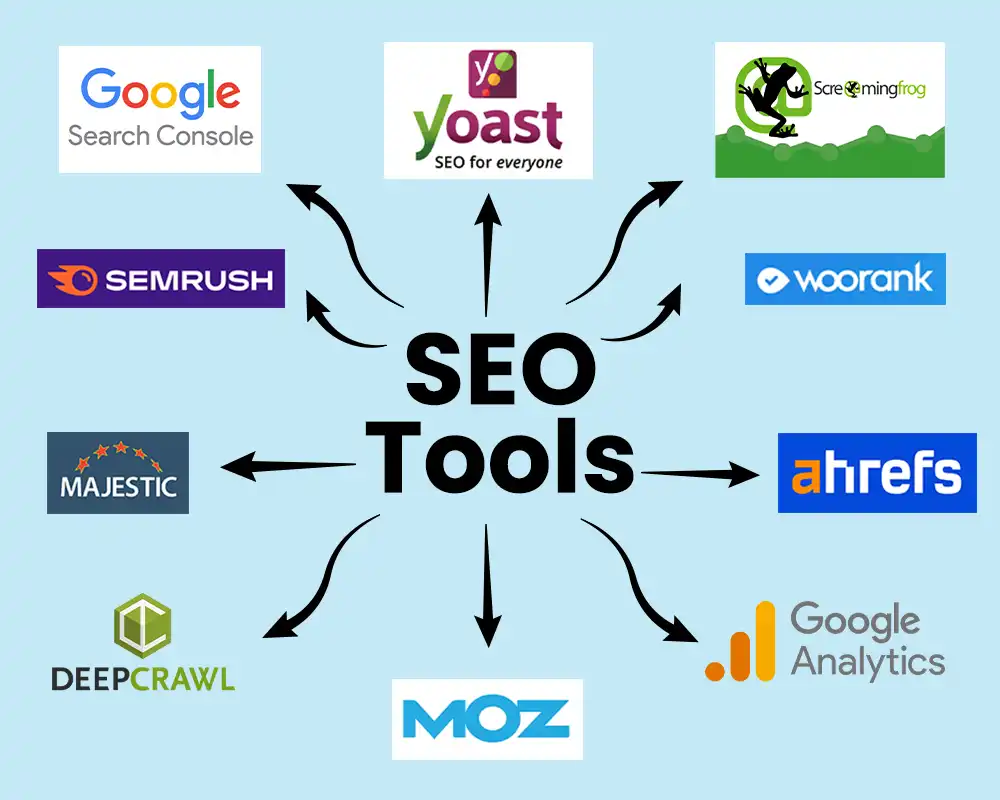
Why the Right SEO Tools Are Essential in 2025’s Digital Landscape The digital marketing world has evolved dramatically, and SEO tools have become more sophisticated than ever. With AI integration, real-time analytics, and multi-platform tracking capabilities, the right tools can mean the difference between ranking on the first page of Google or getting lost in the digital noise. According to industry experts who’ve tested hundreds of tools, these 15 stand out as the most effective and valuable for digital marketers in 2025. I’ve personally analyzed and categorized them based on their specific strengths and use cases. All-in-One Powerhouse Tools 1. Semrush – The Comprehensive SEO Suite Best for: Complete SEO management, competitor analysis, and AI-powered insights Key Features: Keyword research with real-time search volumes and difficulty scores Site audit that identifies technical SEO issues Backlink analysis and monitoring AI content optimization and strategy builder Position tracking across multiple search engines AI Search visibility tracking for emerging AI platforms Pricing: Starts at $139.95/month with limited free plan available 2. Ahrefs – The Backlink & Traffic Analysis Expert Best for: Deep backlink analysis, competitor research, and content gap identification Key Features: Largest backlink database with over 25 trillion known URLs Content explorer for finding top-performing content in any niche Keyword research with accurate search volume data Site audit for technical SEO health checks Rank tracking with historical data AI content helper for meta descriptions and content ideas Pricing: Starts at $129/month with limited free tools available 🔍 Keyword Research & Content Optimization 3. Surfer SEO – The Content Optimization Specialist Best for: On-page optimization, content scoring, and AI writing assistance Key Features: Content editor with real-time optimization scoring NLP analysis of top-ranking pages AI content generator that creates SEO-optimized articles Keyword research with semantic term suggestions Audit tool for existing content improvement Google Docs integration for seamless workflow Pricing: Starts at $99/month 4. Clearscope – Enterprise-Grade Content Intelligence Best for: Content teams needing precise optimization and competitive analysis Key Features: A-F grading system for content quality Precise NLP term recommendations Competitor content analysis Content inventory tracking Google Docs add-on integration Enterprise-level reporting Pricing: Starts at $189/month 5. Google Keyword Planner – The Free Foundation Tool Best for: Basic keyword research and search volume estimation Key Features: Free access with Google Ads account Search volume data directly from Google Keyword ideas based on your business category Cost estimation for paid search campaigns Seasonal trend data for planning content Pricing: Free 🤖 Technical SEO & Site Auditing 6. Screaming Frog SEO Spider – The Technical SEO Workhorse Best for: Deep technical audits, site structure analysis, and crawl optimization Key Features: Website crawling with customizable configurations Technical issue identification (broken links, duplicate content, etc.) XML sitemap generation Robots.txt analysis API integrations with other SEO tools JavaScript rendering capabilities Pricing: Free version available; paid license $22/month 7. Google Search Console – The Essential Free Monitor Best for: Monitoring search performance, indexing status, and core web vitals Key Features: Search performance data directly from Google Index coverage reports and issues Core Web Vitals monitoring Mobile usability testing Security issues alerts Rich results testing and monitoring Pricing: Free 📊 Rank Tracking & Performance Monitoring 8. SE Ranking – Affordable All-in-One Solution Best for: Small to medium businesses needing comprehensive tracking at lower cost Key Features: Keyword rank tracking across multiple search engines Website audit capabilities Backlink monitoring and analysis Competitor analysis tools White-label reporting AI overview tracking for AI search visibility Pricing: Starts at $65/month 9. Morningscore – User-Friendly Rank Tracker Best for: Beginners and teams needing simple, visual rank tracking Key Features: Easy-to-use interface with visual data presentation Keyword grouping and categorization Competitor comparison tools White-label reports AI-powered insights and recommendations Mobile app for on-the-go monitoring Pricing: Starts at $49/month 🔗 Backlink Analysis & Outreach 10. BuzzStream – Outreach and Relationship Management Best for: Scalable link building campaigns and relationship management Key Features: Outreach list management and organization Email template system with personalization Relationship tracking and follow-up automation Performance reporting on outreach campaigns Integration with other SEO tools Team collaboration features Pricing: Starts at $24/month 🚀 AI-Powered & Emerging Tools 11. AirOps – AI Workflow Automation Best for: Agencies and teams scaling content operations with AI automation Key Features: AI-driven workflows for content creation and optimization SERP analysis automation Content gap identification Brand voice consistency tools Centralized marketing stack integration AI search insights transformation into actionable strategies Pricing: Free plan available; paid plans start at $199/month 12. Writesonic – AI Content Creation with SEO Integration Best for: Rapid content creation with built-in SEO optimization Key Features: AI Article Writer with real-time optimization SERP analysis integration NLP-driven keyword suggestions Competitor content gap analysis Brand voice customization Plagiarism checker Pricing: Starts at $16/month (annual billing) 13. Rankscale.ai – AI Search Visibility Tracking Best for: Monitoring brand visibility across AI search platforms Key Features: AI search readiness scoring Brand performance tracking across AI platforms Competitor analysis in AI search results Citation and reference tracking Google AI Overviews monitoring Sentiment analysis of AI-generated content Pricing: Custom pricing based on needs 🆓 Essential Free Tools 14. Google Trends – Trend Analysis & Seasonality Best for: Identifying seasonal trends, rising topics, and geographic interest Key Features: Real-time search trend data Geographic interest mapping Related queries and topics discovery Historical data comparison Category-specific trend analysis Data export capabilities Pricing: Free 15. AnswerThePublic – Question-Based Keyword Research Best for: Content ideation based on real user questions and search queries Key Features: Visualization of search questions and phrases Question-based keyword discovery Preposition-based query suggestions Comparison-based search terms Alphabetical related searches Data export options Pricing: Free limited version; paid plans available How to Choose the Right SEO Tools for Your Needs Consider Your Specific Requirements For beginners: Start with free tools like Google Search Console, Google Keyword Planner, and AnswerThePublic before investing in paid solutions. For content teams: Focus on tools like Surfer SEO, Clearscope, or MarketMuse for content optimization. For technical SEO: Prioritize Screaming Frog, Google Search Console, and dedicated technical audit tools. For agencies: Look for white-label capabilities, client reporting features, and multi-project management. Budget Considerations Free tools can handle 60-70% of basic SEO needs Mid-range tools ($50-$150/month) offer comprehensive features for most businesses Enterprise solutions ($200+/month) provide advanced analytics and team features Integration Capabilities Ensure your chosen tools integrate with: Your CMS (WordPress, Webflow, etc.) Analytics platforms (Google Analytics, etc.) Other marketing tools in your stack Team collaboration platforms The Future of SEO Tools: AI Integration and Beyond The SEO landscape is rapidly evolving with AI integration becoming standard across most tools. In 2025, we’re seeing tools that not only analyze traditional search data but also track visibility across AI platforms like
SEO & Web Development Services | Best SEO Services in Lahore
SEO and Development Services: Building a Strong Digital Foundation for Sustainable Growth In today’s competitive digital landscape, having an online presence is no longer optional—it is essential. Businesses of all sizes are investing in websites, applications, and digital marketing strategies to attract, engage, and convert customers. However, simply having a website is not enough. To truly succeed online, businesses need a powerful combination of SEO (Search Engine Optimization) and development services working together seamlessly. SEO ensures that your website is visible to the right audience, while development guarantees that your digital platform is fast, secure, and user-friendly. When these two elements align, businesses experience improved rankings, higher traffic, and better conversion rates. This blog explores the importance of SEO and development services, how they complement each other, and why choosing the right service provider can make a lasting impact on your business growth. Understanding SEO: More Than Just Rankings SEO is often misunderstood as a process focused only on ranking higher in search engine results. While rankings are important, SEO is much broader and more strategic. It involves optimizing your website so that search engines can easily understand, index, and present your content to users who are actively searching for your products or services. Effective SEO includes: Keyword research and intent analysis On-page optimization (content, headings, meta tags) Technical SEO (site speed, mobile optimization, indexing) Off-page SEO (backlinks and brand authority) User experience and engagement signals A well-executed SEO strategy helps businesses attract organic traffic, which is often more valuable than paid traffic because it brings users who are already interested and searching with intent. The Role of Development in SEO Success Website development plays a critical role in SEO performance. Even the best SEO strategy can fail if the website is poorly built. Search engines prioritize websites that offer fast loading times, mobile responsiveness, secure browsing, and intuitive navigation. Development services ensure that: Websites load quickly and efficiently Code is clean, structured, and search-engine friendly Pages are responsive across all devices Security standards (SSL, data protection) are met Scalability is possible as the business grows Search engines like Google consider technical performance as a ranking factor. A slow or broken website not only frustrates users but also negatively impacts search visibility. This is why SEO and development must work together rather than as separate services. Why SEO and Development Should Go Hand in Hand Many businesses make the mistake of treating SEO as an afterthought—something to be added once the website is complete. In reality, SEO should be integrated into the development process from the very beginning. When SEO is aligned with development: Site architecture is optimized for crawlability URLs are structured logically Content placement supports user behavior Internal linking strengthens page authority Future updates are easier to implement This collaboration ensures that your website is not only visually appealing but also strategically designed to perform well in search results and deliver a smooth user experience. Custom Development for Business-Specific Needs Every business is unique, and a one-size-fits-all approach rarely works in digital solutions. Custom development allows businesses to build platforms that align with their goals, industry requirements, and target audience. Custom development services may include: Business websites and corporate portals E-commerce platforms with SEO-optimized product pages Web applications and dashboards Content management systems (CMS) API integrations and performance optimization When combined with SEO best practices, custom development helps businesses stand out in crowded markets and deliver real value to users. SEO Services That Drive Long-Term Results Professional SEO services focus on sustainable growth rather than quick, temporary wins. Ethical SEO practices ensure that your website builds authority over time and remains resilient against algorithm updates. Key elements of professional SEO services include: In-depth website audits Competitor and market analysis High-quality content optimization Technical fixes and performance improvements Data-driven reporting and continuous optimization Businesses looking for the best SEO services in Lahore often prioritize agencies that understand both the local market and global SEO standards. A strong SEO partner focuses on measurable outcomes such as traffic growth, lead generation, and conversions rather than vanity metrics. The Importance of Local SEO for Growing Businesses For businesses targeting a specific geographic area, local SEO is crucial. Local search optimization helps businesses appear in location-based searches, Google Maps results, and local listings. Local SEO strategies typically include: Google Business Profile optimization Local keyword targeting Location-based content creation Online reviews and reputation management Consistent NAP (Name, Address, Phone) information For service providers, startups, and established companies, local SEO can significantly improve visibility and customer trust. Many businesses searching for the best SEO services in Lahore aim to capture local audiences while maintaining broader online reach. Content, Development, and SEO: A Unified Strategy Content is the bridge that connects SEO and development. High-quality content attracts users, answers their questions, and encourages engagement, while development ensures that this content is presented effectively. An integrated approach ensures that: Content loads quickly and displays correctly Blogs and landing pages are SEO-optimized Multimedia elements enhance engagement without slowing performance Content updates are easy to manage through CMS platforms Search engines reward websites that consistently publish valuable, relevant, and well-structured content. When supported by strong development and SEO, content becomes a powerful growth engine. Measuring Success: Data-Driven SEO and Development One of the biggest advantages of digital services is measurability. SEO and development success can be tracked using analytics tools, performance reports, and user behavior data. Key metrics include: Organic traffic growth Keyword ranking improvements Conversion rates and lead generation Page load speed and technical health User engagement and bounce rates A professional service provider continuously analyzes these metrics to refine strategies and improve results. This data-driven approach ensures transparency and long-term success. Choosing the Right SEO and Development Partner Selecting the right agency or service provider is one of the most important decisions for your digital journey. A reliable partner understands your business goals, industry challenges, and audience needs. When choosing an SEO and development partner, consider: Proven experience and portfolio Transparent processes and reporting Ethical SEO
Why PPC Mistakes Cost Businesses Thousands (And How to Stop the Bleeding)
Why PPC Mistakes Cost Businesses Thousands (And How to Stop the Bleeding) Pay-per-click advertising has become an essential pillar of digital marketing, offering businesses a highly measurable way to reach their audiences. When executed effectively, PPC can drive sales, increase leads, and elevate overall brand visibility. However, most PPC campaigns underperform due to preventable mistakes that drain budgets and deliver poor ROI. According to industry data, businesses implementing proper PPC strategies report: 40-60% reduction in wasted ad spend 50% higher conversion rates 30% lower cost-per-acquisition 45% improvement in return on ad spend Here are the 10 most common PPC mistakes that could be draining your budget right now, and exactly how to fix them. 1. Poor Keyword Targeting & Negative Keyword Neglect The Mistake: Using broad match keywords without proper negative keyword management is like throwing money into a black hole. Your ads appear for irrelevant searches, attracting clicks from people who will never convert. A 2024 study found that over 76% of typical Google Ads budgets were wasted on searches that never convert. The Fix: Use intent-driven, long-tail keywords that deliver higher quality traffic Implement negative keywords to filter out irrelevant searches Regularly review search terms reports weekly to identify and block poor-performing queries Balance match types – use modified broad match or phrase match instead of pure broad match Pro Tip: For a restaurant, negative keywords might include “recipes,” “DIY,” or “free” to avoid attracting people who want to cook at home rather than dine out. 2. Lack of Audience Segmentation & Targeting The Mistake: Treating all audiences the same with generic messaging. Without proper segmentation, you’re missing opportunities to connect with specific demographics, locations, or income brackets most likely to convert. The Fix: Create detailed audience segments based on demographics, behaviors, and interests Develop personalized ad copy for each segment Prioritize remarketing to warm leads who have already shown interest Use audience exclusions to avoid wasting budget on unlikely converters Real Example: A home improvement contractor might create separate campaigns for “window replacement,” “roofing services,” and “siding installation” with tailored messaging for each service. 3. Weak Ad Copy & Missing Value Propositions The Mistake: Generic, uninspiring ad copy that fails to communicate unique value or compel action. Without clear USPs and strong CTAs, even perfectly targeted ads will underperform. The Fix: Highlight unique benefits rather than just features Include strong, action-oriented CTAs like “Get Free Quote Today” or “Shop Now with Free Shipping” A/B test multiple variations of headlines and descriptions Use emotional triggers and pain-point addressing language Incorporate numbers and statistics when possible for credibility Conversion Boost: Adding “Free Shipping” or “Limited Time Offer” to ad copy can increase CTR by up to 25%. 4. Ignoring Landing Page Experience The Mistake: Sending paid traffic to generic, slow-loading, or mobile-unfriendly landing pages. This creates a disconnect between ad promise and page experience, leading to high bounce rates and wasted ad spend. The Fix: Ensure landing pages match ad intent exactly Optimize page load speed (aim for under 3 seconds) Implement mobile-first design with responsive layouts Create clear paths to conversion with minimal friction Use consistent messaging from ad to landing page Critical Stat: Pages that load in 1-3 seconds have 32% lower bounce rates than those taking 5+ seconds. 5. Poor Budget Management & Allocation The Mistake: Either overspending on underperforming campaigns or setting budgets too low to generate meaningful results. Without strategic allocation, you’re either wasting money or missing opportunities. The Fix: Use the formula: Budget = Target CPA × Desired Conversions × Safety Margin Distribute budget based on performance – more to winners, less to losers Regularly review key metrics like CPA, CTR, and ROAS Adjust bids based on time of day, device, or location performance Set realistic expectations – don’t expect immediate ROI Smart Approach: Start with smaller test budgets, then scale what works while cutting what doesn’t. 6. Neglecting Mobile Optimization The Mistake: Failing to optimize for mobile users, who now represent the majority of PPC clicks. Tiny buttons, slow loading times, and poor mobile experiences destroy conversion rates. The Fix: Use mobile-first responsive design Test all landing pages on multiple mobile devices Create mobile-specific ad extensions like click-to-call Adjust bids for mobile performance (often lower than desktop) Simplify forms for mobile completion Mobile Reality: Over 60% of PPC clicks now come from mobile devices, making optimization non-negotiable. 7. “Set It and Forget It” Mentality The Mistake: Launching campaigns then ignoring them for weeks or months. PPC requires constant monitoring and optimization to maintain performance as competition, algorithms, and user behavior change. The Fix: Schedule weekly campaign reviews Set up performance alerts for significant changes Continuously test new ad copy, keywords, and landing pages Stay updated on platform changes and new features Regularly audit account structure for optimization opportunities Maintenance Rhythm: Successful PPC managers spend at least 2-3 hours weekly per active campaign on optimization. 8. Inadequate Conversion Tracking The Mistake: Not properly tracking what matters – conversions. Without conversion data, you’re flying blind, unable to determine which campaigns, keywords, or ads actually drive business results. The Fix: Set up Google Ads conversion tracking properly Track meaningful actions – purchases, form fills, calls, etc. Use Google Analytics for additional insights Implement value tracking for revenue-based bidding Regularly verify tracking is working correctly Tracking Priority: If you’re not tracking conversions, you’re not doing PPC – you’re just spending money. 9. Overlooking Audience Segmentation Opportunities The Mistake: Running ads without leveraging advanced audience targeting options like remarketing, custom audiences, or similar audiences. This leaves significant conversion opportunities untapped. The Fix: Implement remarketing campaigns for past visitors Use custom intent audiences for prospecting Create similar audiences based on your best converters Layer audience targeting with keyword targeting Exclude existing customers from acquisition campaigns Audience Power: Remarketing audiences typically convert at 3-5x higher rates than cold audiences. 10. Choosing the Wrong Campaign Strategy The Mistake: Using only one campaign type (usually Search) without diversifying across platforms and formats. Different goals require different strategies – what works for brand awareness won’t necessarily work for direct response. The Fix: Diversify across campaign types: Search, Display, Video, Shopping, Discovery Use Performance Max campaigns for full-funnel coverage Match campaign type to business objectives Test new campaign types regularly Allocate budget based
Meta Ads Services in Pakistan | Boost Your Online Growth
Meta Ads Services in Pakistan: A Complete Guide for Businesses in the Digital Age In the past decade, Pakistan has witnessed a major shift in how consumers discover, evaluate, and purchase products. With millions of active users on Facebook, Instagram, and WhatsApp, the online marketplace has become one of the most powerful customer acquisition engines for brands of all sizes. As a result, Meta ads services in Pakistan have become a critical solution for businesses looking to enhance visibility, generate leads, and increase sales through targeted digital marketing strategies. Whether you’re a small business trying to build your online presence or an established brand aiming to scale, Meta’s advertising ecosystem offers exceptional tools for reaching the right audience at the right time. However, understanding and navigating Meta’s vast advertising options isn’t always easy—this is where professional Meta ads services step in, helping businesses run effective, data-backed campaigns that deliver measurable results. Why Meta Ads Matter in Pakistan Meta platforms—Facebook, Instagram, Messenger, and WhatsApp—hold a dominant place in Pakistan’s digital landscape. With millions of users scrolling, interacting, and shopping online daily, Meta’s advertising ecosystem offers an unmatched opportunity for businesses to engage potential customers. 1. Huge User Base Facebook and Instagram are among Pakistan’s most widely-used social networks, with users from every age group and demographic. This massive audience allows brands to reach people across major cities such as Karachi, Lahore, Islamabad, Faisalabad, Multan, and beyond. 2. Advanced Targeting Options Meta ads enable businesses to target users based on: Age, gender, and location Interests and behaviors Purchase intent Custom and lookalike audiences Engagement patterns This precision ensures your budget is spent efficiently and your message reaches people most likely to convert. 3. Cost-Effective Marketing Compared to traditional advertising like print media or TV commercials, Meta advertising is far more affordable and delivers measurable results. Businesses can start with small budgets and scale as needed. 4. Real-Time Data & Insights Meta Ads Manager provides detailed analytics, allowing brands to track performance and optimize campaigns without guesswork. This makes marketing more strategic and predictable. How Meta Ads Services Help Businesses in Pakistan Grow While creating a simple ad might seem easy, running successful Meta campaigns requires expertise, creative skills, and data-driven decision-making. This is where Meta ads agencies and professional marketers play a crucial role. Here’s how their services support business growth: 1. Strategic Campaign Planning Professionals analyze your business goals, target audience, industry trends, and competitors to craft a customized advertising strategy. Whether your goal is lead generation, brand awareness, website traffic, or online sales, a clear plan helps optimize results. 2. Creative Ad Content High-quality visuals and compelling ad copy are essential. Meta ads specialists create: Eye-catching graphics Short engaging videos Persuasive captions Strong call-to-action messages This content grabs attention and encourages users to take action. 3. Optimized Audience Targeting Experts use data insights to identify the most profitable audience segments and ensure your ads reach users with genuine interest in your products or services. 4. Budget & Bidding Management Meta ads professionals know how to balance budget allocation, bidding strategies, and campaign objectives to ensure maximum ROI, especially important for businesses with limited budgets. 5. A/B Testing Agencies continuously experiment with different visuals, headlines, and ad formats to determine what works best. This helps improve engagement and reduce cost per result. 6. Performance Tracking & Reporting Timely reports allow businesses to understand how campaigns perform and where improvements are needed. Transparency and clarity help brands make informed marketing decisions. Popular Meta Ads Objectives Used in Pakistan Different businesses need different results. Meta ads offer a wide range of campaign objectives that suit various industries, from e-commerce and real estate to education and local services. 1. Brand Awareness Ideal for new brands aiming to build recognition. The goal is to introduce your business to a wide audience. 2. Engagement Boost likes, comments, shares, and overall interaction with your posts to strengthen social presence. 3. Leads & Registrations Perfect for businesses such as real estate developers, educational institutions, event organizers, or service-based companies looking to collect leads directly through Facebook or Instagram. 4. Traffic Campaigns Designed to send users to your website, landing page, or WhatsApp chat, helping increase your online visibility. 5. Sales (Conversions) Best for e-commerce stores aiming to drive purchases. The system optimizes ads to reach people most likely to buy. 6. App Promotion Tech startups and app developers use Meta ads to increase app installs and engagement. Industries in Pakistan Benefiting the Most from Meta Ads Meta advertising is versatile and powerful across industries, but it has proven especially effective for: 1. E-Commerce & Online Stores From clothing brands to gadget shops, Meta ads help businesses attract buyers, showcase new collections, and increase sales. 2. Real Estate Developers and property agents use targeted ads to reach potential investors and homebuyers with detailed project information. 3. Education Sector Universities, training institutes, and academies rely heavily on Meta ads for student enrollment and lead generation. 4. Restaurants & Cafés Food businesses use Meta ads to promote offerings, run location-based campaigns, and highlight customer reviews. 5. Beauty & Wellness Salons, clinics, skincare brands, and fitness centers attract high-intent audiences through visually appealing ads. 6. Automotive Industry Showrooms and auto dealers use lead generation ads to showcase new models and collect buyer information. Why Professional Meta Ads Services Outperform DIY Campaigns Running Meta ads on your own can work for very small campaigns, but scaling results requires expertise. Many businesses in Pakistan waste money due to: Poor targeting Weak ad creatives Limited understanding of Meta algorithms Incorrect campaign objectives Lack of optimization No clear performance tracking Professional services eliminate these challenges. Instead of trial and error, agencies use proven techniques to deliver consistent results. Key Features of a High-Quality Meta Ads Service in Pakistan When choosing a Meta ads agency or freelancer, look for the following qualities: 1. Experience with Multiple Industries The agency should understand how different markets work in Pakistan and adapt strategies accordingly. 2. Transparent Pricing Clear communication
Google Ads Campaign Management: Tips for Success
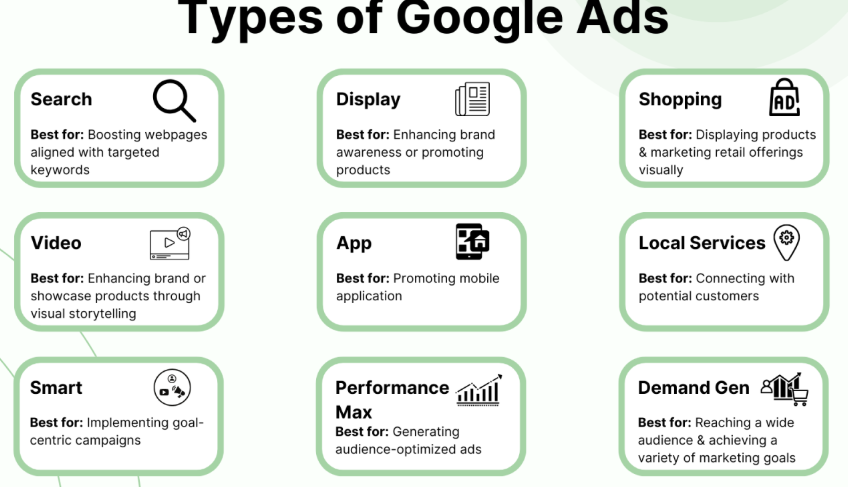
Introduction Google Ads remains one of the most powerful tools for businesses looking to expand their reach, attract qualified leads, and generate consistent online sales. Its precision, scalability, and ability to target users at the exact moment of intent make it an essential platform for marketers. However, true success doesn’t come from setting up ads and hoping for the best—it comes from proper Campaign Management, strategic thinking, and continuous optimization. This guide explores actionable strategies, Tips for Success, and practical insights to help you manage campaigns more effectively and achieve meaningful growth. Understanding the Foundation of Google Ads Campaign Management Managing Google Ads involves much more than selecting keywords and writing ad copy. It requires a deep understanding of your audience, their search behavior, and how your products or services align with their needs. Effective Campaign Management also involves carefully structuring your campaigns, organizing ad groups, and selecting relevant keywords to improve performance and reduce wasted spending. Beginners often underestimate the importance of structure. A well-planned account setup ensures clarity, control, and better data insights. For instance, organizing campaigns by product categories, service types, or locations allows you to track performance more accurately and adjust strategies efficiently. Additionally, choosing the right bidding strategy—such as manual CPC, Maximize Conversions, or Target ROAS—can significantly influence how your ads perform. Each strategy has its advantages, and your choice should reflect your business goals and available data. Conducting Smart Keyword Research and Selection Keywords are the backbone of any Google Ads campaign. They determine when your ads appear and who sees them. To choose the right keywords, you must balance search volume, competition, and intent. Key Factors in Selecting Keywords: Relevance: Ensure the keyword directly relates to your offering. User Intent: Focus on terms buyers would search when ready to take action. Competition Level: High-competition keywords may require higher budgets. Match Types: Use a mix of phrase, exact, and broad match for flexibility. Successful keyword research also includes adding negative keywords to filter irrelevant traffic. By excluding irrelevant queries, you protect your budget, improve click-through rates, and strengthen campaign efficiency. This is an area where many marketers look for additional support through tools, strategies, or even Secondary Keyword 2, especially when refining long-tail keywords and search intent alignment. Crafting High-Converting Ad Copy Your ad copy is the first impression users have of your business. It must be compelling, clear, and aligned with the user’s search intent. Elements of Strong Ad Copy: A powerful headline that captures attention Clear value propositions Strong calls-to-action (CTA) Meaningful benefits rather than generic claims Relevance to the searched keyword Highlight what sets your business apart—free shipping, discounts, expertise, or fast turnaround. Since Google rewards relevancy, aligning your ads with specific keywords and ad groups increases your quality score, reduces cost-per-click, and improves ad placement. Extensions such as site links, callouts, structured snippets, and phone extensions also help enhance visibility and boost engagement. These enhancements offer additional information without increasing cost, making them essential components of effective Campaign Management. Optimizing Landing Pages for Better Performance Your ads might attract the right audience, but your landing page determines whether they convert. A well-optimized landing page must provide a seamless and persuasive user experience. Landing Page Optimization Tips: Ensure your headline matches the ad’s promise Use clean, responsive design Keep forms simple and easy to complete Include social proof like reviews or testimonials Focus on fast loading speeds to reduce bounce rates When your landing page and ad content align, users feel like they are in the right place. This alignment improves conversion rates and strengthens your overall account performance. There’s a reason seasoned marketers emphasize this combination—successful advertising is a blend of strong ads and high-quality landing pages, paired with ongoing improvements supported by data and Tips for Success. Analyzing and Monitoring Campaign Performance Effective Campaign Management involves continually analyzing your metrics and making data-driven adjustments. Google Ads offers a wealth of performance insights such as CTR, conversion rate, cost-per-click, impression share, and return on ad spend. Important Things to Monitor: Search terms reports to identify new keyword opportunities Device performance to determine where your ads perform best Demographics to better target your ideal audience Budget pacing to prevent overspending Conversion tracking accuracy to ensure data reliability Use this information to adjust bids, improve ad copy, refine keywords, and reallocate budget to high-performing segments. Reviewing this data regularly—not just once a month—is crucial for achieving long-term success. Continuous improvement supported by your analysis and Secondary Keyword 4 will help you maintain momentum and stay ahead of competitors. Leveraging Automation for Better Results Google offers several automation tools that simplify campaign optimization. Smart Bidding, responsive search ads, and automated rules are valuable features for both beginners and experienced marketers. Benefits of Automation: Saves time and reduces manual work Adjusts bids based on real-time signals Enhances ad performance through machine learning Helps scale campaigns more efficiently However, automation is most effective when paired with human oversight. Monitor automated adjustments, evaluate their outcomes, and make necessary refinements to stay aligned with your business goals. Using A/B Testing to Improve Performance A/B testing is a powerful technique that helps you make informed decisions. By testing two or more versions of your ad copy, landing pages, or bidding strategies, you can identify what resonates most with your audience. What You Can A/B Test: Headlines and descriptions Call-to-action phrases Landing page layouts Keyword match type combinations Extensions and visual elements This testing approach allows marketers to eliminate guesswork and rely solely on real performance data. When done consistently, A/B testing becomes one of the most valuable Tips for Success in campaign optimization. Conclusion Mastering Google Ads requires a balance of strategy, creativity, and ongoing analysis. With strong Campaign Management, thoughtful keyword research, compelling ad copy, and well-optimized landing pages, advertisers can significantly improve performance and ROI. Apply the insights, tools, and Tips for Success shared in this guide, and you’ll be well equipped to create campaigns that not only attract attention but also deliver measurable growth.
Shopify Tips for Beginners: A Simple Guide to E-commerce Success
E-commerce has rapidly become one of the most accessible ways for entrepreneurs to start and grow their own businesses. Whether you’re selling handcrafted goods, digital products, or drop-shipped items, Shopify remains one of the most beginner-friendly platforms available. With the right foundation and the proper guidance, even new store owners can build a polished, profitable online presence. This guide explores practical steps, proven strategies, and essential Secondary Shopify Tips to help you get started with confidence. Understanding Why Shopify Is the Best Place to Start Shopify’s appeal lies in its simplicity and scalability. Beginners appreciate how easy it is to set up a store without coding, while more advanced sellers enjoy the platform’s automation tools, integrations, and analytics. Unlike other platforms that require extensive customization or technical expertise, Shopify provides a structured system that keeps everything organized—from product listings to payments. If you’re just starting, understanding how Shopify works will help you manage your store more effectively. This is where proper tips for Shopify can make a significant difference. By learning how to navigate the dashboard, adjust basic settings, choose themes, and integrate apps, you build a solid foundation for long-term success. Choosing the Right Theme and Branding Your Store Your store’s appearance is the first impression customers get, and Shopify offers both free and premium themes to choose from. Instead of selecting the most visually complex template, beginners should choose a clean, simple theme that highlights products and enhances user experience. Key Tips for Choosing a Theme: Select a layout that aligns with your brand identity Ensure the design is mobile-responsive Test the navigation and loading speed Customize colors, fonts, and visuals to match your niche Even without graphic design experience, Shopify’s built-in editor makes branding your store approachable. Use high-quality images, a consistent color palette, and a memorable logo. By applying these early steps, you create a visually cohesive store that builds trust with visitors. Setting Up Product Pages that Convert A Shopify store is only as strong as its product pages. New sellers often overlook this step, but detailed, thoughtful product listings directly impact conversions. Important Product Page Elements: Clear and compelling product titles High-resolution photos and lifestyle images Benefits-focused descriptions Size guides, FAQs, or usage instructions A strong call-to-action button (“Add to Cart” or “Buy Now”) Product descriptions shouldn’t just list features—they should help shoppers understand how the product solves a problem or enhances their life. Search engines also value detailed content, meaning these descriptions contribute to your long-term SEO success. Many beginners also add apps that enhance product pages, such as review widgets, personalized recommendations, and trust badges. These tools reinforce credibility and help move shoppers toward purchase. Optimizing Shopify for SEO and Organic Growth Search engine optimization remains a crucial part of running an online store. While Shopify handles many technical elements behind the scenes, you still need to optimize pages manually. Here are practical SEO steps every beginner should take: Include keywords naturally in product titles and descriptions Write unique meta titles and meta descriptions for each page Add alt text to product images Create a logical site structure with clear navigation Publish educational blog posts related to your niche Use Shopify’s built-in analytics to track traffic sources SEO takes time to show results, but consistent optimization builds a strong foundation for long-term organic growth. It’s one of the best ways to attract customers without relying heavily on paid advertising. Marketing Your Store: Simple Strategies for Beginners Once your store is live, it’s time to promote it. Many new sellers assume success comes overnight, but effective marketing requires consistency and strategy. Beginner-Friendly Marketing Techniques: 1. Email Marketing Start by offering incentives—discounts or freebies—to encourage visitors to join your mailing list. Platforms like Shopify Email or Klaviyo can help automate welcome sequences, abandoned-cart reminders, and promotional campaigns. 2. Social Media Choose one or two platforms where your audience is most active. Create consistent posts showcasing your products, behind-the-scenes content, or customer testimonials. 3. Paid Advertising While optional, small ad campaigns on Facebook, Instagram, or Google can help you gain traction quickly. Just start with a modest budget and refine ads as you learn what works. 4. Influencer Collaborations Micro-influencers often provide great results for beginners. They are more affordable, highly engaged, and better suited for niche audiences. By combining these marketing methods, you gradually build visibility, trust, and customer loyalty. Essential Shopify Tips That Save Time and Boost Results As your store grows, automation and optimization become essential. Here are some Secondary Shopify Tips to streamline your workflow: Use inventory-tracking tools to avoid overselling Automate order confirmations and shipping updates Set up customer support tools like chatbots or helpdesk apps Perform routine store audits to remove outdated products or apps Monitor analytics to understand customer behavior Keep your checkout process simple and distraction-free Growing Your Store and Staying Consistent The most successful Shopify merchants didn’t achieve results overnight. Growth comes through patience, data-driven decisions, and a willingness to learn. As you improve product listings, refine marketing strategies, and leverage new tools, your store becomes more efficient and competitive. Shopify’s blog, community forums, and resource library are valuable places to continue learning. Engaging with other store owners can provide motivation, insights, and helpful shortcuts as you evolve from a beginner into a confident entrepreneur. Conclusion Getting started with E-commerce can feel overwhelming, but Shopify makes the journey far more approachable, even for complete beginners. With the right mindset, smart planning, and consistent application of the tips shared here—including foundational setup advice, SEO strategies, and essential tips for Shopify—you’ll be well on your way to building a successful online business. Keep learning, keep refining, and keep taking action. This steady approach will help you thrive in the world of E-commerce.
Step-by-Step Guide to Building Your First WordPress Site
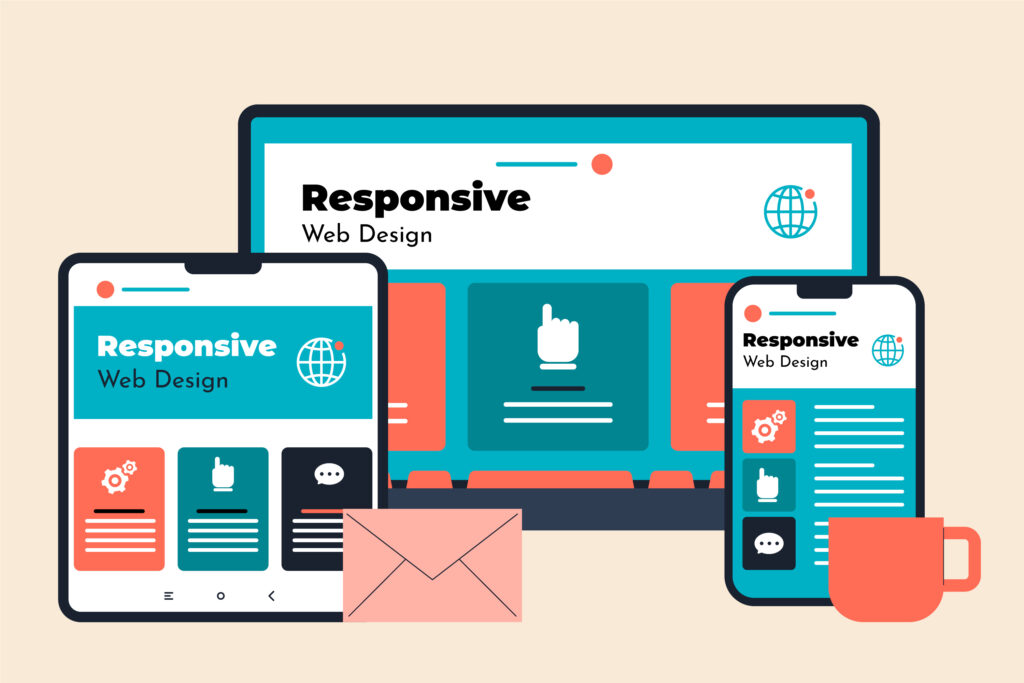
A Step-by-Step Guide to Building Your First Website on WordPress WordPress is one of the world’s most popular website platforms, and for good reason. It offers unmatched flexibility, user-friendly tools, and endless customization options, making it ideal for beginners and professionals alike. If you’re ready to take your ideas online but aren’t sure where to begin, this guide will walk you through the process of building your first website, all while ensuring your content is well-structured, keyword optimised, and ready to perform. 1. Start with a Strong Foundation: Domain and Hosting The journey begins with two essential elements: your domain name and hosting plan. Your domain is the web address where visitors will find you, so it should reflect your brand and be easy to remember. Once you secure your domain, choose a hosting provider that offers reliability, fast loading speeds, and beginner-friendly setup tools. Most hosting companies provide one-click installation for WordPress, making the initial setup incredibly simple. A strong foundation ensures your website will run smoothly as you continue building and expanding it. 2. Install WordPress and Access Your Dashboard After setting up your hosting, use your hosting provider’s one-click tool to install the WordPress software. Once installed, you can access your dashboard by visiting: yourdomain.com/wp-admin This dashboard acts as the control center of your entire site. Here, you can create pages, publish blog posts, manage plugins, change your site design, and fine-tune your WordPress SEO settings. The interface is intuitive, even for beginners, and you’ll quickly become comfortable navigating its features. 3. Choose a Clean, Professional Theme Your theme sets the visual style and layout of your website. With thousands of free and premium themes available, you can find one that perfectly matches your industry, personality, or project goals. When selecting a theme, keep these tips in mind: Choose a mobile-responsive design Look for fast-loading templates Avoid overly complicated or heavy themes Read reviews and check update frequency Ensure compatibility with major plugins A clean and professional theme makes your website easy to use and visually appealing, which contributes to a strong first impression and supports SEO importance. 4. Customize Your Website to Match Your Brand Once your theme is installed, it’s time to start personalizing your website. Navigate to Appearance → Customize to adjust colors, fonts, header styles, and overall layout. Upload your logo, update your site’s title and tagline, and set your preferred homepage design. This step allows your site to reflect your brand’s personality. Whether you aim for a minimalist feel or a bold, modern aesthetic, customizing your site will help your audience connect with your message instantly. 5. Add Essential Pages to Build Structure Every well-designed website includes fundamental pages that help visitors understand your purpose. Some of the most important pages include: Home – A welcoming overview of what your website offers About – A deeper look at your story or mission Services / Portfolio – Showcases what you offer Blog – A place to share insights and improve SEO Contact – Allows users to reach out easily Creating these pages early gives your site a strong structure and makes navigation smoother for your audience. 6. Install Plugins to Expand Functionality Plugins enhance your website by adding features such as contact forms, galleries, caching tools, or SEO systems. Although thousands of plugins exist, it’s best to start with a few essential ones: ✔️ Yoast SEO or Rank Math These tools help you create keyword optimised content and manage your WordPress SEO strategy. ✔️ Elementor or Gutenberg Blocks User-friendly design tools for building custom page layouts without coding. ✔️ UpdraftPlus A backup plugin that protects your site from loss or errors. ✔️ Wordfence or Sucuri Security plugins that safeguard your site from threats. Install plugins selectively and remove anything unnecessary to keep your website fast and efficient. 7. Create Keyword Optimised Content Content is the heart of your website, and producing high-quality, keyword optimised content is essential for long-term success. When writing your pages or blog posts: Use clear headings and subheadings Write in short, readable paragraphs Include your key terms naturally Prioritize helpful, valuable information Add internal links to relevant pages Use alt text for images Maintain a conversational tone Google rewards websites that provide real value, and your content strategy plays a major role in strengthening your SEO importance. 8. Focus on WordPress SEO Basics In the middle of your website-building journey, you’ll come across the importance of optimizing your site for search engines. Good SEO makes it easier for people to find your website through search results. Key elements of SEO include: Fast-loading pages Clean site structure Optimized titles and meta descriptions Mobile responsiveness Quality backlinks Consistent blog publishing Correct use of keywords Using plugins like Yoast or Rank Math simplifies this process and helps you understand where improvements can be made. Learning the essentials early ensures you build a website that grows steadily over time. 9. Test Your Website Before Launching Before you share your website with the world, take time to test it thoroughly. Look for: Spelling or grammar mistakes Broken links Page loading issues Design inconsistencies Mobile responsiveness Functioning forms and buttons A smooth, error-free website increases trust and enhances user experience, which positively influences search performance and supports overall SEO importance. 10. Publish and Maintain Your Website Once everything looks polished, click Publish — your website is officially live! But launching is only the beginning. Maintaining your website ensures it remains secure, updated, and competitive. Regular maintenance includes: Updating plugins and themes Publishing new content Backing up files Monitoring analytics Improving SEO performance Refreshing outdated pages A well-maintained website continues to grow its authority and visibility over time. Final Thoughts Creating your first website using WordPress is an exciting step toward building your online presence. With its flexibility, powerful tools, and beginner-friendly features, you can easily transform your ideas into a polished, professional platform. By following this step-by-step guide, focusing on keyword optimised content, and understanding SEO importance, you set the foundation for sustainable growth